加群或其他问题可扫二维码添加阿瑟

加群或其他问题可扫二维码添加阿瑟

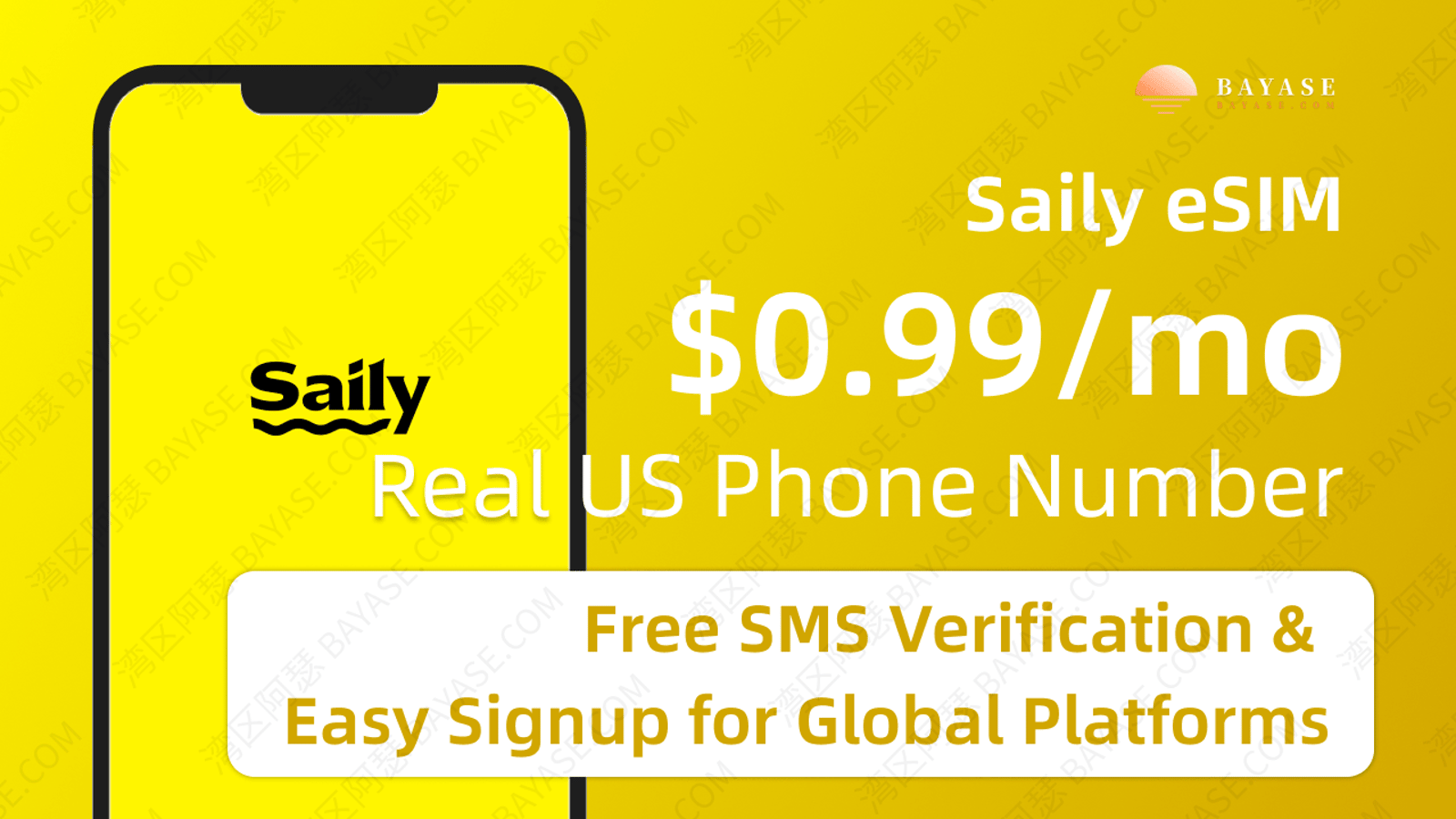
Need a cheap US number for SMS verification? Saily esim is about $0.99/mo for a real Cellular +1 line—not VoIP. Use coupon code ESIM ($5 off when the order is $5+). Setup, KYC, and roaming tips inside.

Trying to verify Telegram, WhatsApp, ChatGPT, or PayPal—and the platform rejects “virtual numbers”? Want a cheap US +1 you can keep for months without paying carrier retail prices?
You’re probably stuck in one of these loops:
What you actually need is a low-cost, real US mobile number that platforms treat as Cellular—not a disposable VoIP string. This guide walks through Saily’s US phone number product: what it is, Saily eSIM price, how to use coupon code ESIM, KYC, install, and how to keep the line alive. It’s built for cheap inbound SMS; a side bonus is that the number stays useful when you’re traveling and still need a stable US contact line.
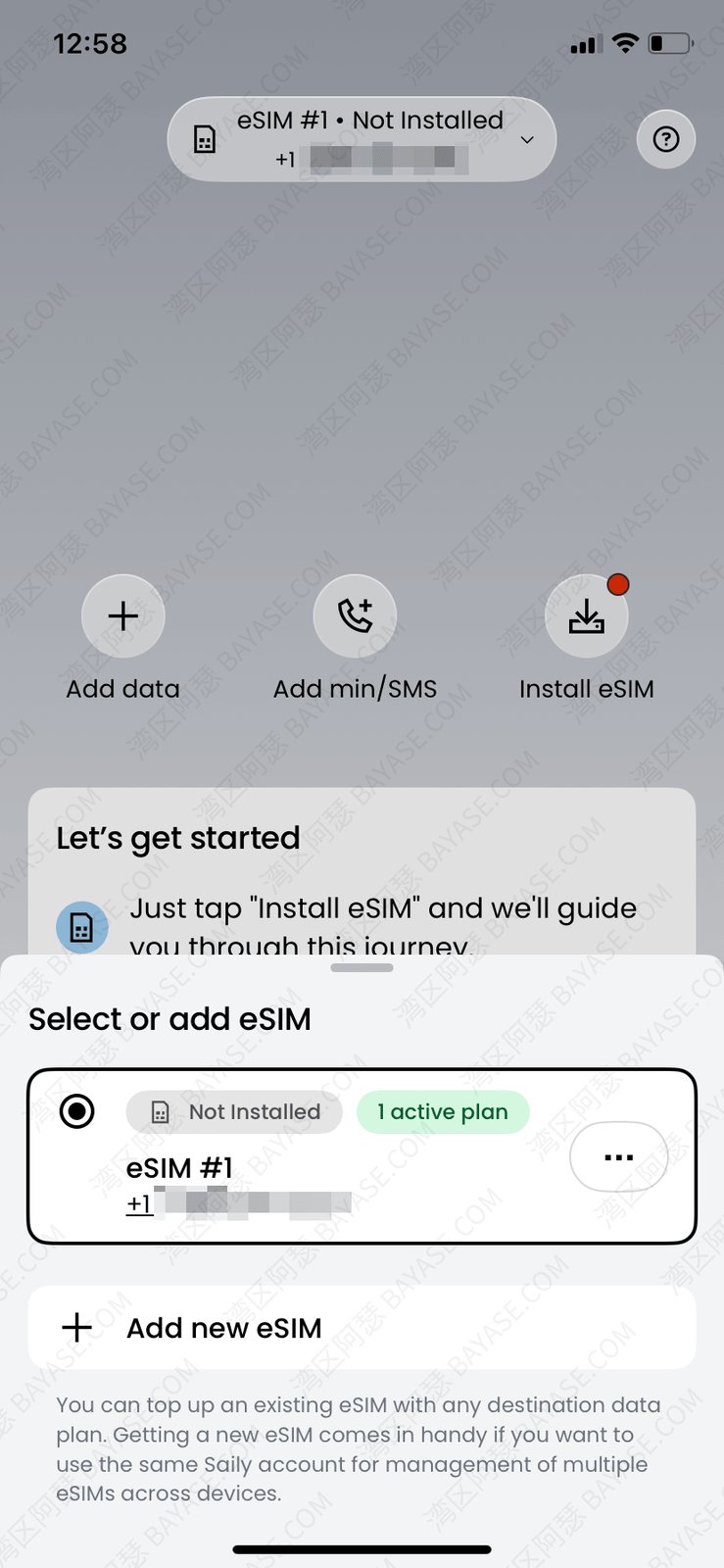
TL;DR · 2026 Saily eSIM coupon code: ESIM.
Enter ESIM under Credits before checkout — $5 off when the order is $5+ (it won’t apply below $5).
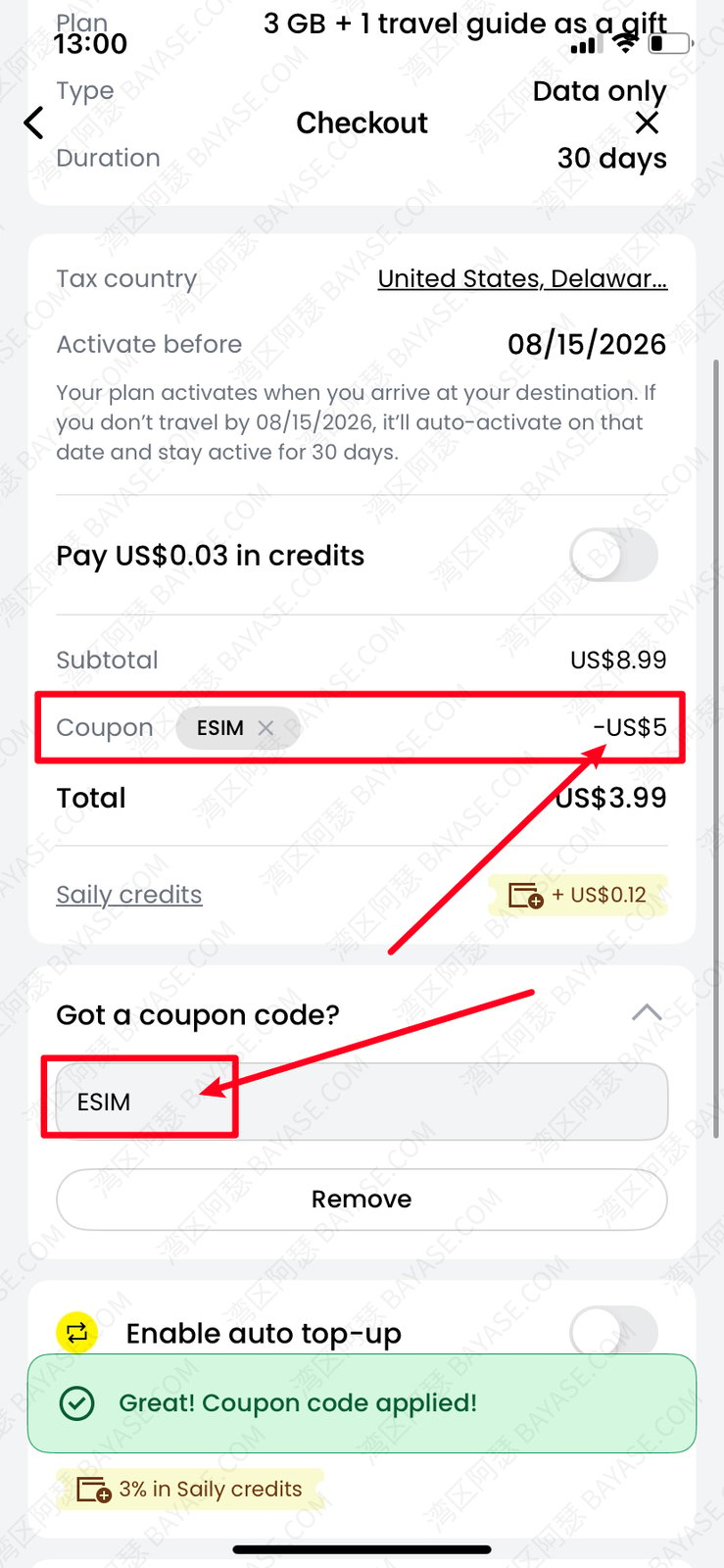
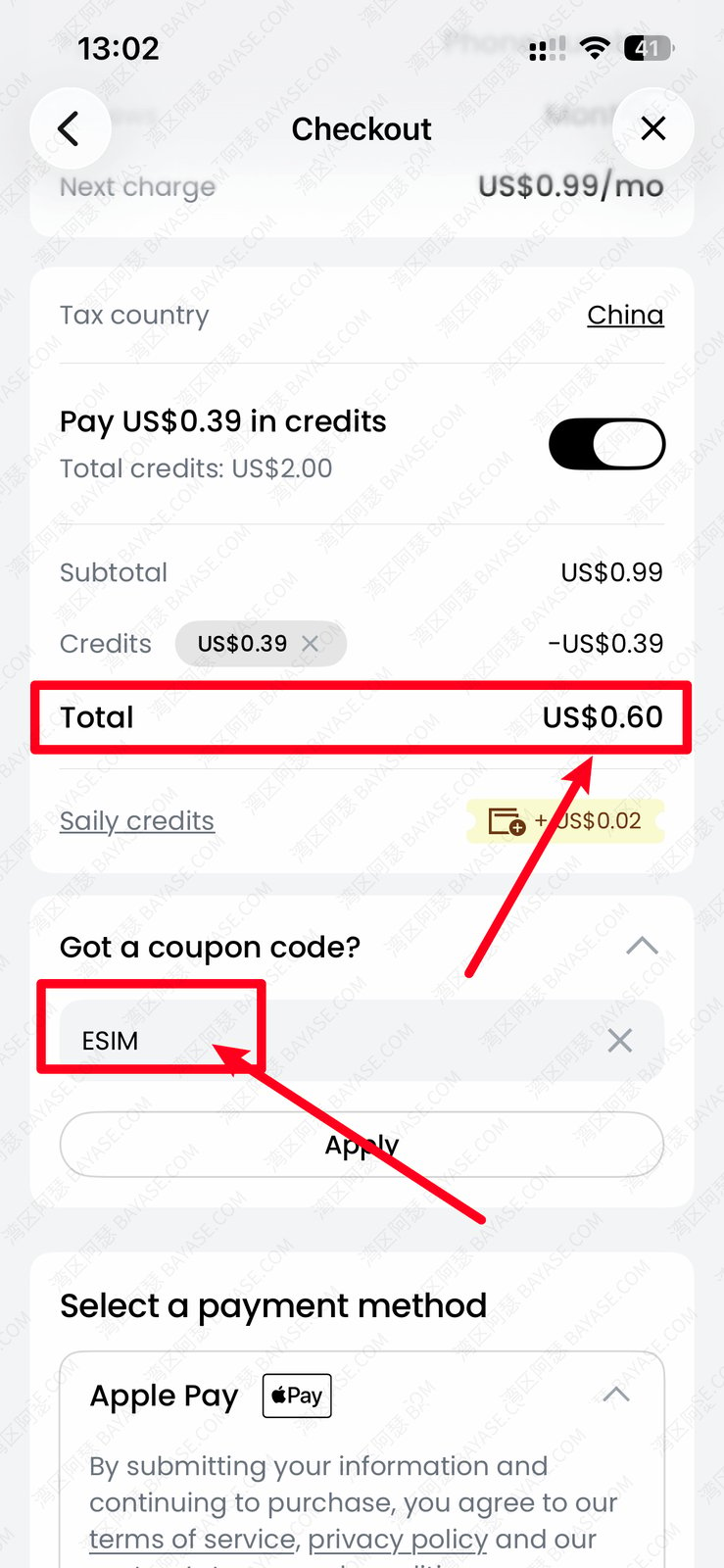
First month often lands around ~$0.60 after the discount; then $0.99/mo with free inbound SMS.
Start here: Saily esim. Confirm the discount on the checkout page before you pay.
Below: Cellular vs VoIP → pricing → signup + KYC → install → long-term pitfalls.
If you’re in a hurry, here’s the short answer. Saily is one of the cheapest ways to hold a real US mobile number—around $0.99 per month. The important word is real: it’s meant for SMS-first keep-alive, not for people who make tons of US voice calls every day. It also works as a light travel companion: keep the same +1 for OTPs while you’re on the road.
| Factor | Details |
|---|---|
| Number type | Native US mobile (Cellular), not VoIP |
| Monthly fee | $0.99/mo |
| First month | Often ~$0.60 with coupon ESIM ($5 off when order ≥ $5) |
| Inbound SMS | Free (no extra SMS pack required) |
| Calls / outbound SMS | Paid add-ons; calls are billed both ways |
| KYC | Required — government-issued ID / passport as listed in the app |
| Payment | Visa / Mastercard, Apple Pay, Google Pay, and similar |
| Good for | Telegram / WhatsApp / ChatGPT / PayPal US / broker OTPs |
| Not ideal for | Heavy outbound calling, or using it as your only data plan |
Good fit if: you need a cheap US number for verification codes and long-term hold.
Not a great fit if: you refuse KYC, or you expect unlimited US calling included in $0.99.
Ready to grab a Saily number? Use coupon ESIM ($5 off when eligible):
Saily is a travel eSIM brand under Nord Security. It started as global data packs; more recently it added a standalone US +1 phone number you can keep month to month. Think of it as a Saily eSIM product line aimed at number + SMS, not just short-trip data.
This is the misconception that trips people up.
MVNO describes how the company runs network access (Saily rides Choice Wireless Texas under the hood). That is not the same as the line type platforms care about in fraud databases.
When you look up a Saily number, it typically resolves as Mobile/Cellular—not the VoIP flag you see on Google Voice or TextNow.
In plain English: Google Voice is a number that lives mostly as an internet identity; many apps reject it on sight. A Saily line runs on carrier-style Cellular routing, so Telegram, WhatsApp, ChatGPT, Claude, and PayPal US tend to accept it far more often.
Still—banks and brokers may also check number history, address, and device fingerprints. No number can guarantee every verification. Treat it as a strong, cheap SMS line—not a magic key.
That’s the core of the saily vs google voice tradeoff: price + Cellular classification vs free-but-often-blocked VoIP.
If you’re comparing saily esim price, the design is modular: keeping the number is one SKU; calls, outbound SMS, and data are separate.
| Item | Cost | Notes |
|---|---|---|
| US number subscription | $0.99/mo | Keep-alive; unlimited free inbound SMS |
| First month with ESIM | Often ~$0.60 | Official coupon: $5 off when order ≥ $5; otherwise the code won’t apply—trust the checkout total |
| Outbound SMS pack | From $0.99 / 100 texts | For sending SMS; usually 30-day validity |
| Voice pack | From $0.99 / 100 minutes | Inbound and outbound minutes both count |
If you only need inbound codes, don’t buy voice or SMS add-ons. The monthly fee alone is enough.
Also: voice packs bill both ways. A spam call that you answer still burns minutes—and overages can cost more. After activation, avoid answering unknown callers, and don’t set Saily as your default voice line.
Saily generally accepts Visa / Mastercard, Apple Pay, and Google Pay. Some banks still block overseas online payments—have a card that reliably clears international charges.
If every bank card declines, don’t stall at checkout. A quick workaround is a virtual card. I often point people to Roogoo: $0 card setup fee on the usual new-user path, top up, then pay Saily with that card number. Same card is handy later for ChatGPT / Claude subscriptions, so you’re not juggling two payment tools.
Most recent iPhones, Google Pixels, and many Samsung phones can add the Saily eSIM directly in the app—that’s the main path this English guide assumes.
If your phone has no eSIM hardware (or the OS won’t install foreign eSIM profiles), you’ll need an eSIM-capable device for this flow. This article doesn’t cover third-party “write-to-physical-SIM” tools.
The whole flow lives in the Saily app—no plastic SIM in the mail. Here’s the path I use.
Search the App Store or Google Play for “Saily: eSIM for Travel”. On Android, if it’s missing from your store, download from Saily’s official site.
Open the app and sign in with Google or Apple.
Before you buy the number, open Credits at the bottom of the app, scroll to the coupon field, and enter ESIM.
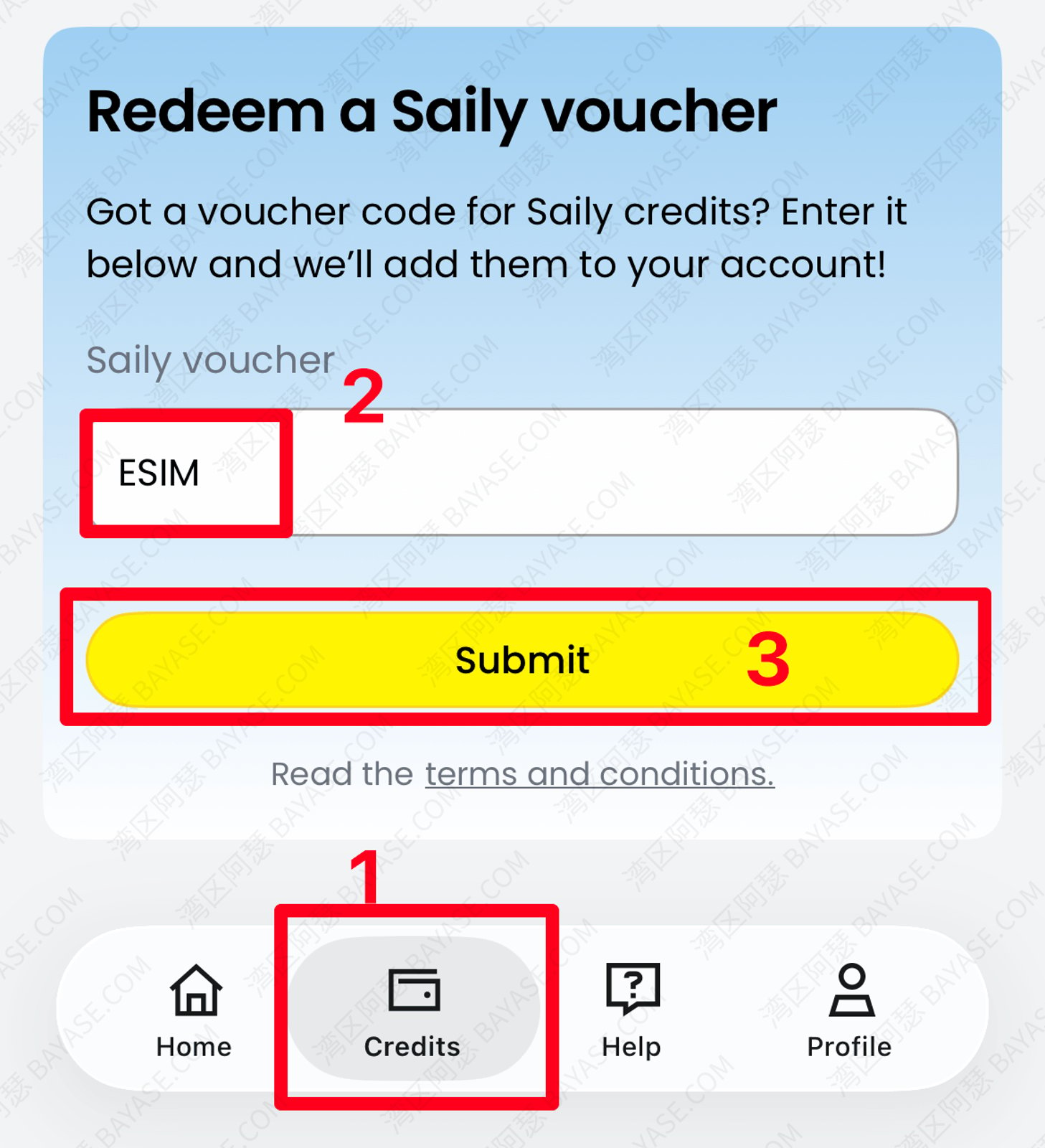
This is a fixed official code: it takes $5 off, but only when the order is at least $5. Below that, the code simply won’t apply.
After it lands, first month often shows around ~$0.60. Always confirm the discount is already reflected on the checkout screen before you pay. If you haven’t started yet, jump in via Saily.
Home → explore phone numbers → get a phone number. When it asks about a voice plan, choose skip for now. Pay with the method that works for you.
After payment, Saily asks for identity verification. It’s a global product: upload a government-issued ID or passport as shown in the app, then finish the face check. Approval is often just a few minutes. Your +1 number then shows on the home screen.
Once KYC clears, choose Install eSIM. On an eSIM-capable phone, use the one-tap add option.
If you only need a QR for another device, pick install on another device so the QR is generated.
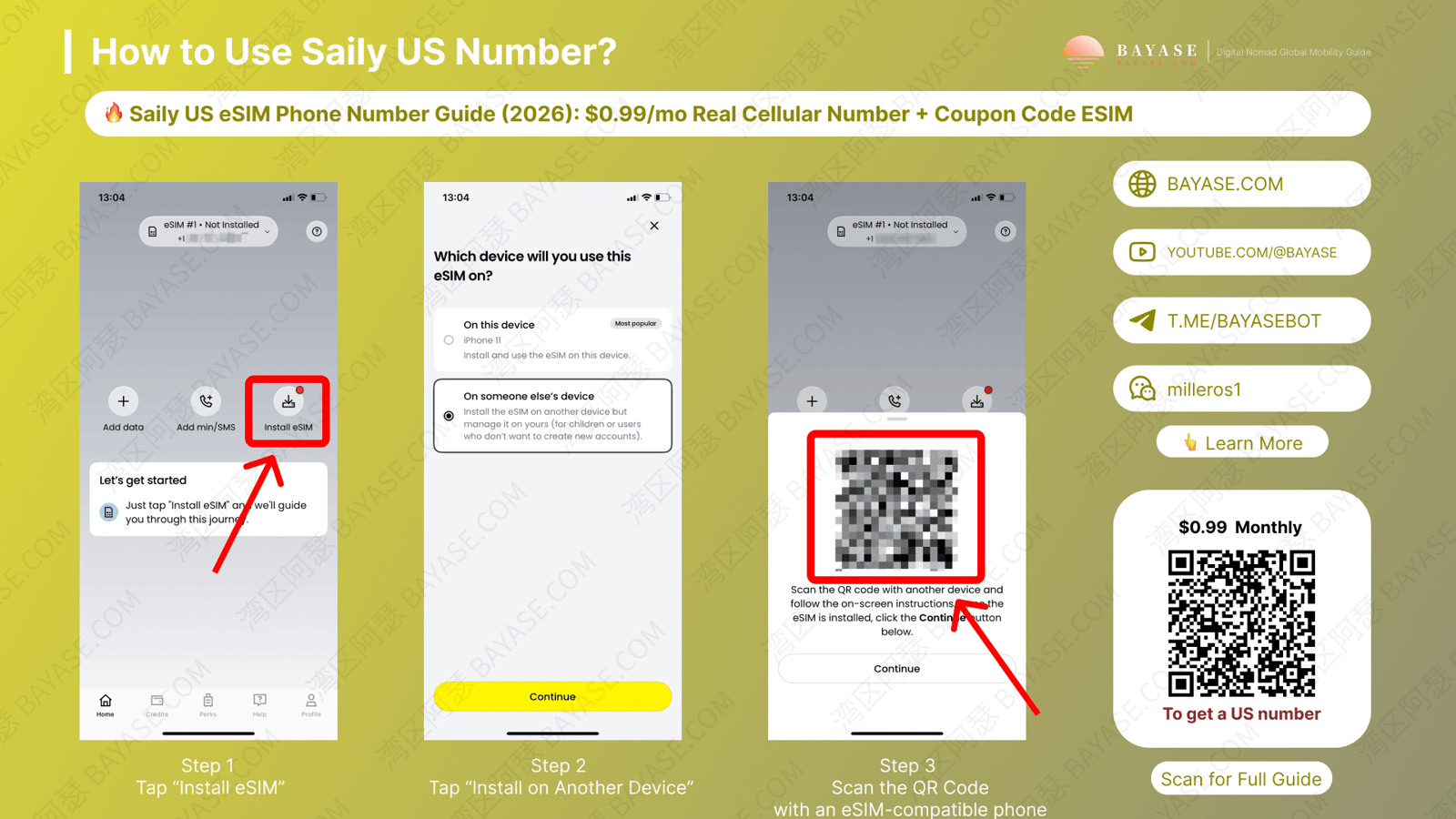
Don’t broadcast that QR—anyone with it could try to claim the profile.
In Settings, open the Saily eSIM line and disable cellular data and data roaming. The keep-alive plan doesn’t include a generous data allowance—background traffic can create extra charges.
Call it something like “Saily US” so you never dial or text from the wrong SIM.
Save the +1 for later signups.
Register Telegram or WhatsApp first and confirm inbound SMS works. Then bind ChatGPT, PayPal, or brokerage accounts. Migrating every important login at once makes rollbacks painful if one service rejects the number.
The $0.99 fee is billed automatically. An expired card or a blocked international charge can pause or reclaim the number quickly. I set a calendar reminder every quarter to open the app and check the subscription status.
The number lives on your Saily account, not locked to one handset. On the old phone, remove the eSIM profile, then sign into the same account on the new phone and reinstall.
If you delete first and only then discover the QR expired, you’ll need support to regenerate it. Before you wipe anything, make sure the QR is still available in the app (store a private screenshot carefully if you must).
Reminder: voice is billed both ways. Unknown callers can be spam—and minutes can overdraw into extra fees. Treat the line as SMS-only unless you deliberately bought a voice pack.
Saily also sells data packs, but they’re a different product lane and rarely the cheapest way to browse. Keep Saily for the number; use your primary SIM or a dedicated data eSIM for everyday internet—especially when traveling.
If you want the low-friction path, start here:
Questions welcome in the comments—I’ll reply when I see them.
Prefer scanning a QR from Saily’s official download assets:
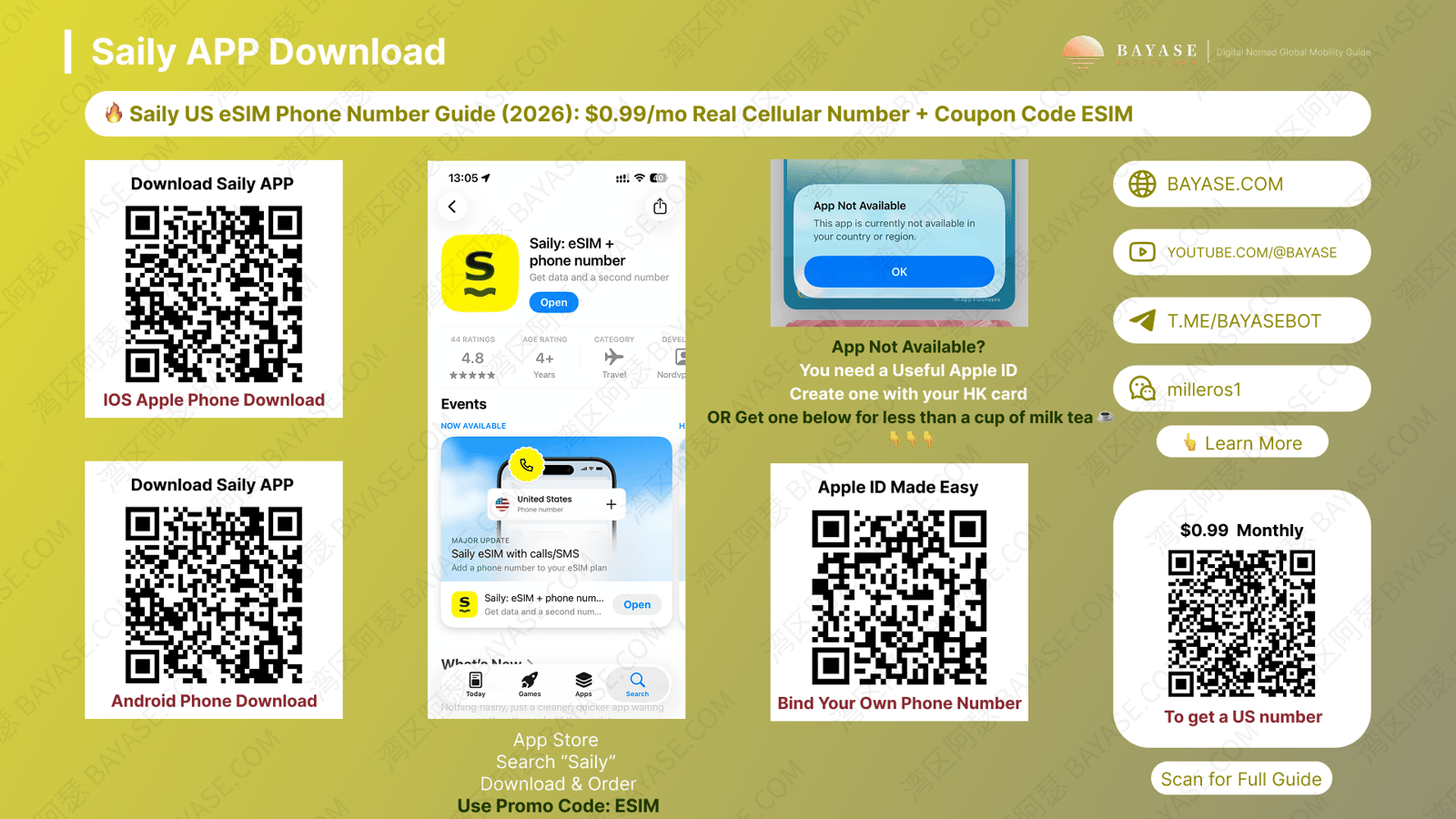
Download the Saily app (or start from Saily), sign in with Google or Apple → enter coupon ESIM on the Credits page → confirm the checkout discount → pay → finish KYC → install the eSIM. The whole flow is online.
The official saily esim coupon code is ESIM. Enter it under Credits. It applies $5 off when the order is $5 or more; below that, it won’t work. Credit the discount on-screen before you pay.
$0.99/mo for the number keep-alive, including free inbound SMS. Voice and outbound SMS need add-ons. With ESIM, the first month often drops to about $0.60—always trust the checkout total.
It’s treated as Mobile/Cellular, not Google Voice–style VoIP. That’s why many verification flows that reject VoIP still accept Saily. Banks and brokers may still do extra checks—nothing is 100%.
Yes. While the monthly subscription is active, inbound SMS is free and lands in your phone’s normal Messages app. You don’t need a separate receive-SMS pack.
In practice it works for many of those apps because of the Cellular classification—but no line is guaranteed for every merchant. Test with a low-stakes app first, then move important accounts.
Yes—you can receive SMS with a US number abroad while the subscription is active (roaming on local carriers). This guide is SMS-first; for heavy data while traveling, use a separate data eSIM or your primary plan.
You’ll need an eSIM-capable phone (or temporarily use one) to install Saily’s profile. This English guide doesn’t cover physical eSIM rewriter cards.
Try another Visa/Mastercard or Apple/Google Pay. If bank cards keep failing, a virtual card such as Roogoo is a common workaround—and you can reuse it for ChatGPT / Claude later.
The number follows your Saily account. Remove the old profile, sign in on the new device, and reinstall. If the QR is gone, email Saily support for a new one.
That's the end — thanks for reading!
Here are some communities created by Arthur. Feel free to join if you're interested:
The Telegram groups have fewer chat restrictions. Just add the bot and select the type of community you'd like to join:

You can also add Arthur as a Telegram contact:

Connect with Arthur and stay closer.
Disclaimer: The content of this article reflects personal opinions only. Any financial actions taken based on this information are at your own risk, and any resulting losses shall be borne solely by the operator.