加群或其他问题可扫二维码添加阿瑟

加群或其他问题可扫二维码添加阿瑟

Looking for a free virtual card for ChatGPT in 2026? This guide explains what “free” really means, compares working virtual card options, and shows how to successfully pay for ChatGPT, Midjourney, and other AI tools without constant card declines or payment failures.

If you’ve been trying to subscribe to ChatGPT, Midjourney, or even something like Netflix lately, there’s a good chance you’ve hit the same wall as everyone else:
your payment just doesn’t go through.
Sometimes it says “Your card has been declined.”, sometimes it just spins forever, and sometimes it fails without any explanation at all.
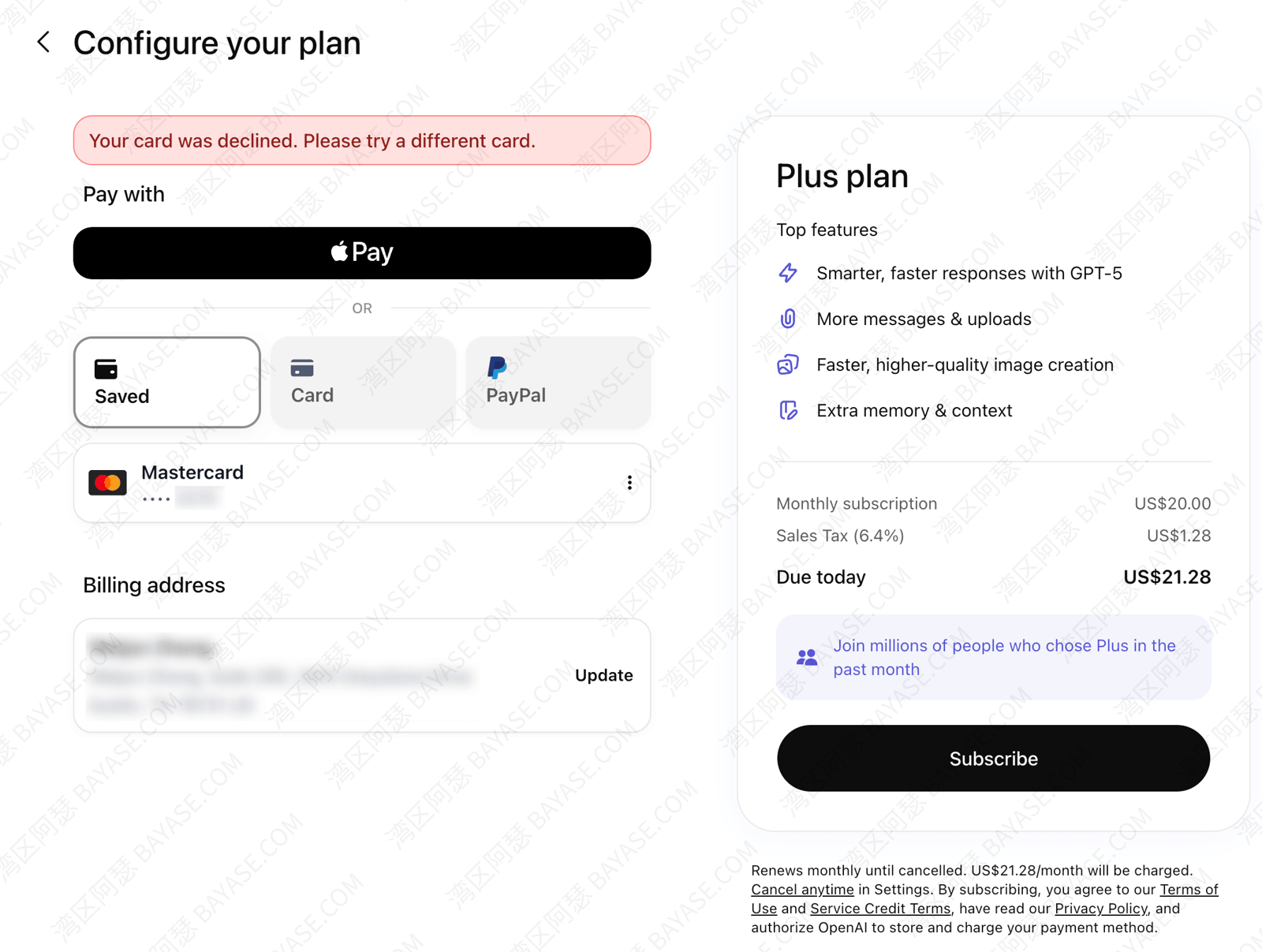
At that point, most people start looking into virtual cards.
And then another question pops up:
Are there actually any free virtual cards that work for ChatGPT?
The answer is yes — but also not as simple as it sounds.
So instead of throwing a random list at you, I’ll walk you through what’s actually working right now in 2026, what kind of “free” you should expect, and how to avoid wasting money testing cards that are already dead.
Let’s clear this up first, because this is where a lot of people get misled.
When platforms say “free virtual card”, they usually mean:
Here’s what typical costs look like:
| Cost Type | Typical Range |
|---|---|
| Initial top-up | $0 – $30 |
| Transaction fee | 0.8% – 2% |
| FX / currency conversion | 1% – 2% |
| Authorization fee | $0.2 – $0.5 / txn |
| Exchange rate spread | varies |
So yeah — it’s not completely free.
But compared to older platforms charging $10+ just to issue a card, this is already a big improvement.
Short answer: yes.
Actually, there are more options now than before.
Most working solutions fall into two categories:
These come from real banks (Europe, Hong Kong, etc).
Pros:
Cons:
If you already have one, great.
If not, it’s probably not the easiest starting point.
This is what most people end up using.
They’re usually:
If your only goal is to subscribe to ChatGPT, this is the better route.
Here’s a simplified comparison of what’s actually usable right now:
| Platform | Issuing Region | Setup Fee | Top-up Required | ChatGPT Support | Difficulty |
|---|---|---|---|---|---|
| N26 | Europe | $0 | Yes (bank transfer) | Yes | High |
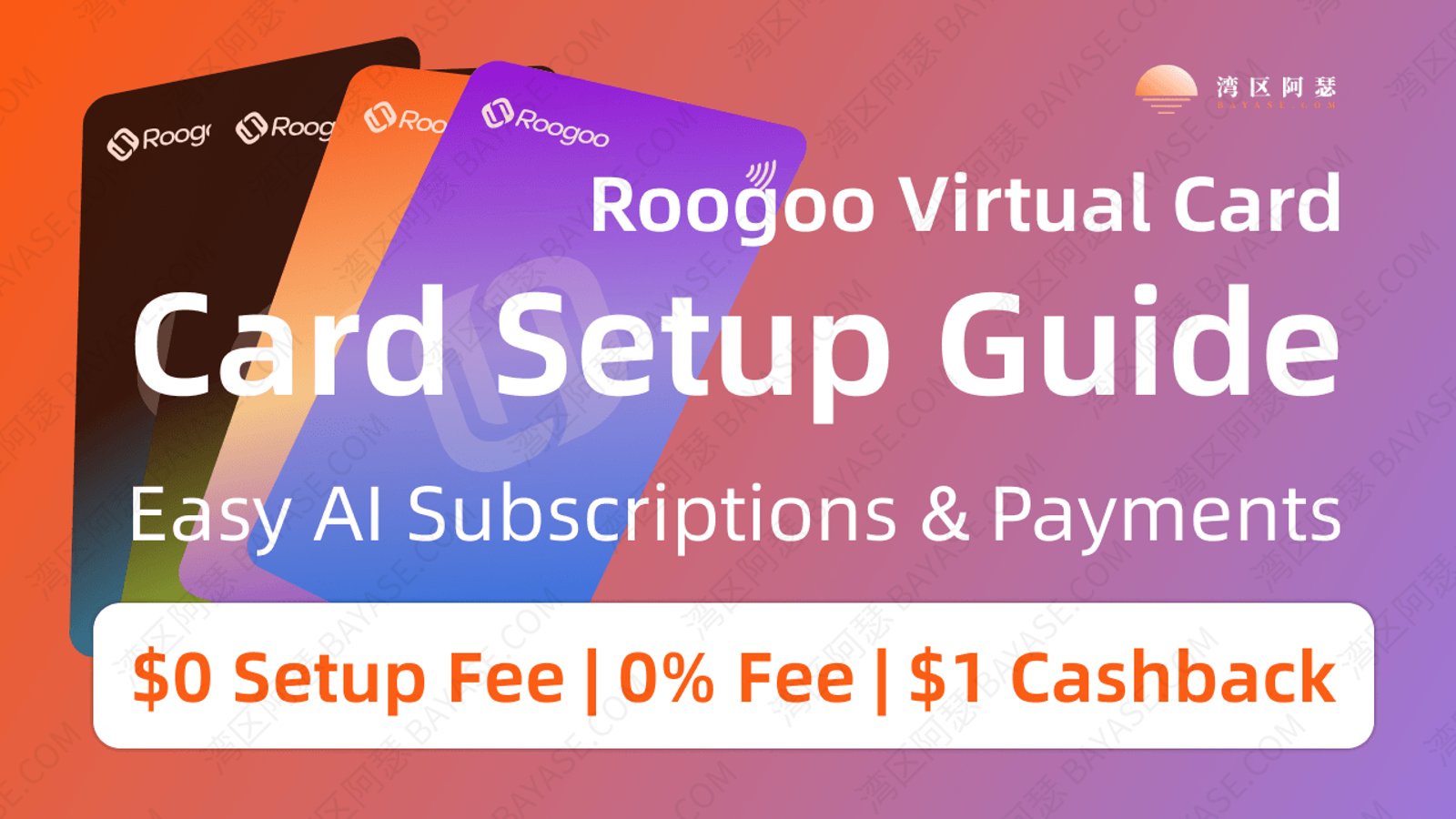
| Roogoo | US / HK | $0 | ~$10 | Yes (US cards) | Low |
| Other platforms | Mixed | Varies | Varies | Unstable | Medium |
If you’re interested in opening an N26 account (Germany region), I’ve put together a more detailed step-by-step guide here:
Complete and Professional N26 Account Opening Guide (Claim €100 Stock Reward)
If you’re just trying to get a working card without overthinking everything, this is probably the simplest option right now.
Not perfect, but practical.
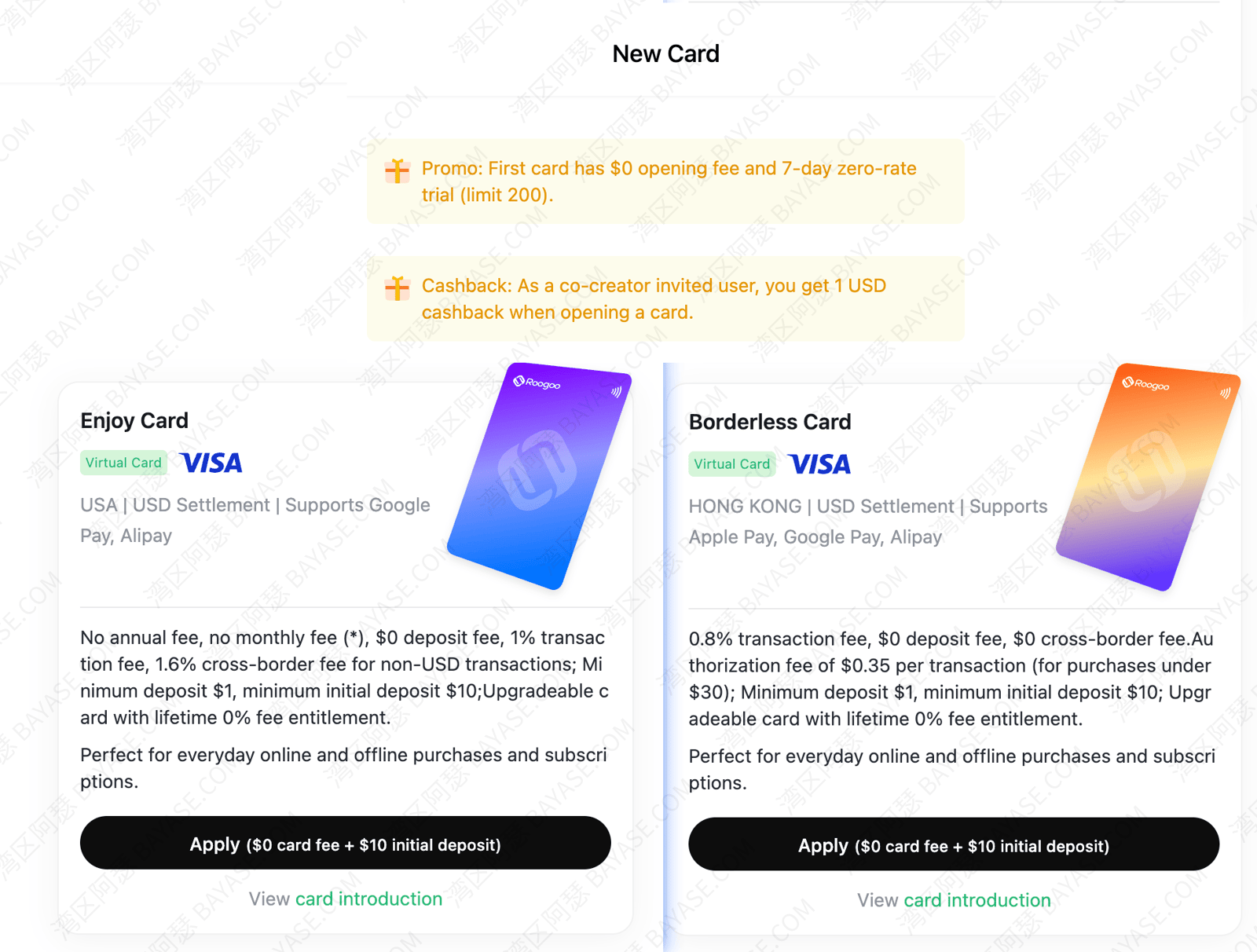
| Card Type | Network | Issuing Region | Setup Fee | Top-up | Fee | AI Support |
|---|---|---|---|---|---|---|
| Borderless Card | Visa | HK | $0 | $10 | 0.8% | No |
| Enjoy Card | Visa | US | $0 | $10 | ~1% | Yes |
👉 If your goal is ChatGPT, just pick a US-issued card.
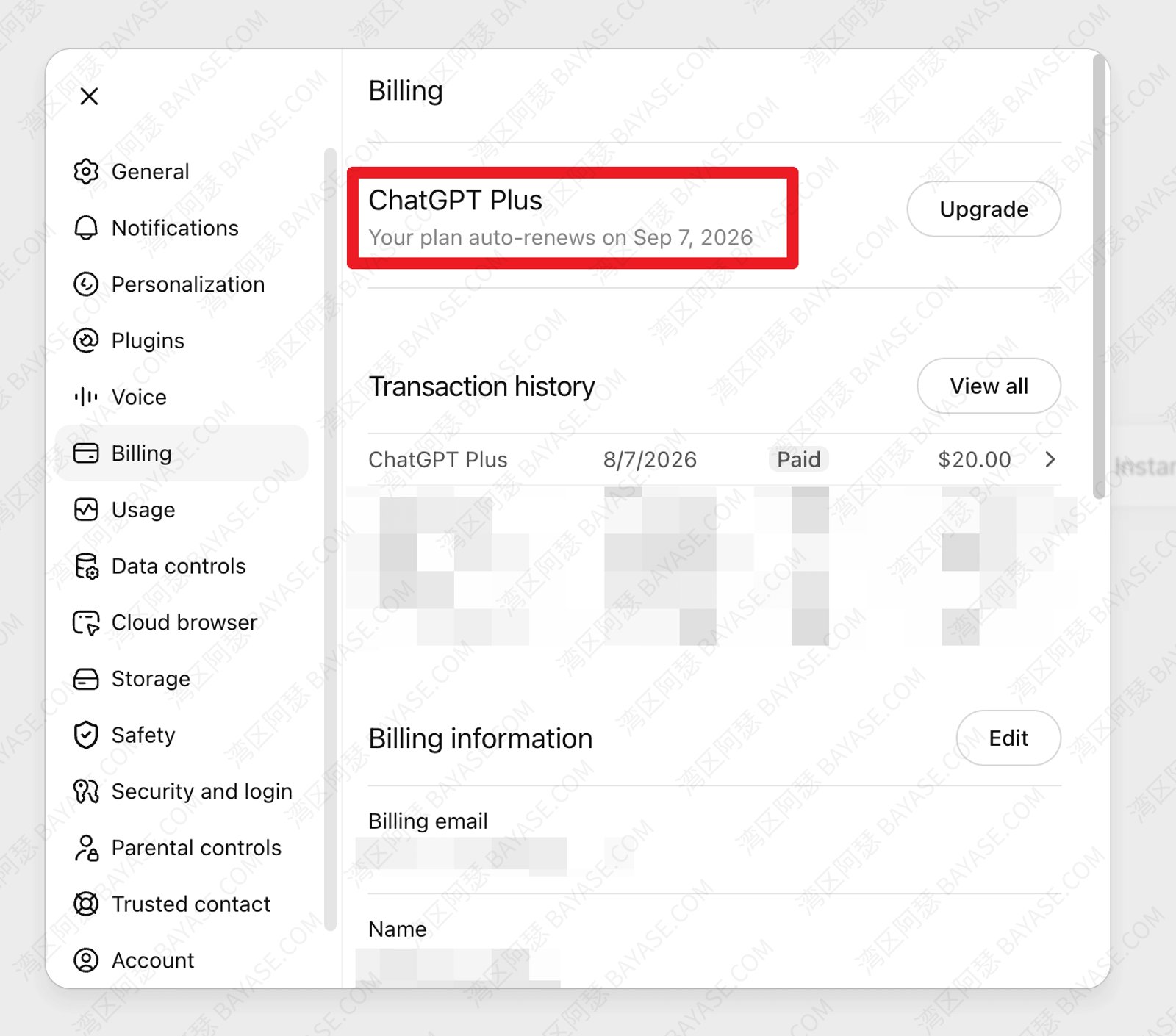
I’ve used it myself for ChatGPT renewal.
No retries, no weird errors — just a normal payment.
And honestly, if you’ve been stuck with declined cards before, that alone already makes it worth trying.
If you want to test it:
They usually offer a short trial window (reduced fees) for new users, which is useful if you just want to see whether your payment goes through.
Yes, but only under certain conditions.
This is where most failures happen.
You need:
Miss any of these, and your payment might fail.
Virtual cards aren’t just for AI tools.
People also use them for:
When you’re shopping on platforms like Amazon, eBay, or using proxy buying services, using your main physical card every time isn’t always the best idea.
All it takes is one compromised transaction, and your card details could be exposed.
With a virtual card, you can set spending limits or use it as a one-time payment method. Once the transaction is done, that card is basically “isolated,” which makes it much safer.
It’s also a lot easier to manage multiple orders without worrying about your main card being reused everywhere.
If you’ve ever tried to fund accounts on exchanges like Binance or Gate.io using a physical card, you probably already know how frustrating it can be.
Transactions can be slow, sometimes blocked, and in certain regions, they don’t go through at all.
Virtual cards make this process much smoother. You can top up using USDT or other stablecoins quickly, and in many cases, with fewer restrictions.
For people who deal with crypto regularly, this is honestly one of the most practical use cases.
When you’re traveling abroad — booking hotels, renting cars, or just paying for things on the go — using a physical card can get messy.
You might need to carry multiple cards, and if you’re not careful, you could end up paying extra fees just because the wrong currency was used.
With a virtual card connected to Apple Pay or Google Pay, payments become much more flexible. You can control spending limits, switch cards easily, and avoid unexpected charges.
It’s just a cleaner and more controlled way to handle international payments.
If you’re new, here’s the simplest flow:
Click the exclusive link below to unlock free card setup + a 7-day zero-fee trial:
Complete the KYC process as required by the platform (such as uploading your ID).
This helps increase your spending limits and significantly reduces the chances of your payments getting flagged or declined.
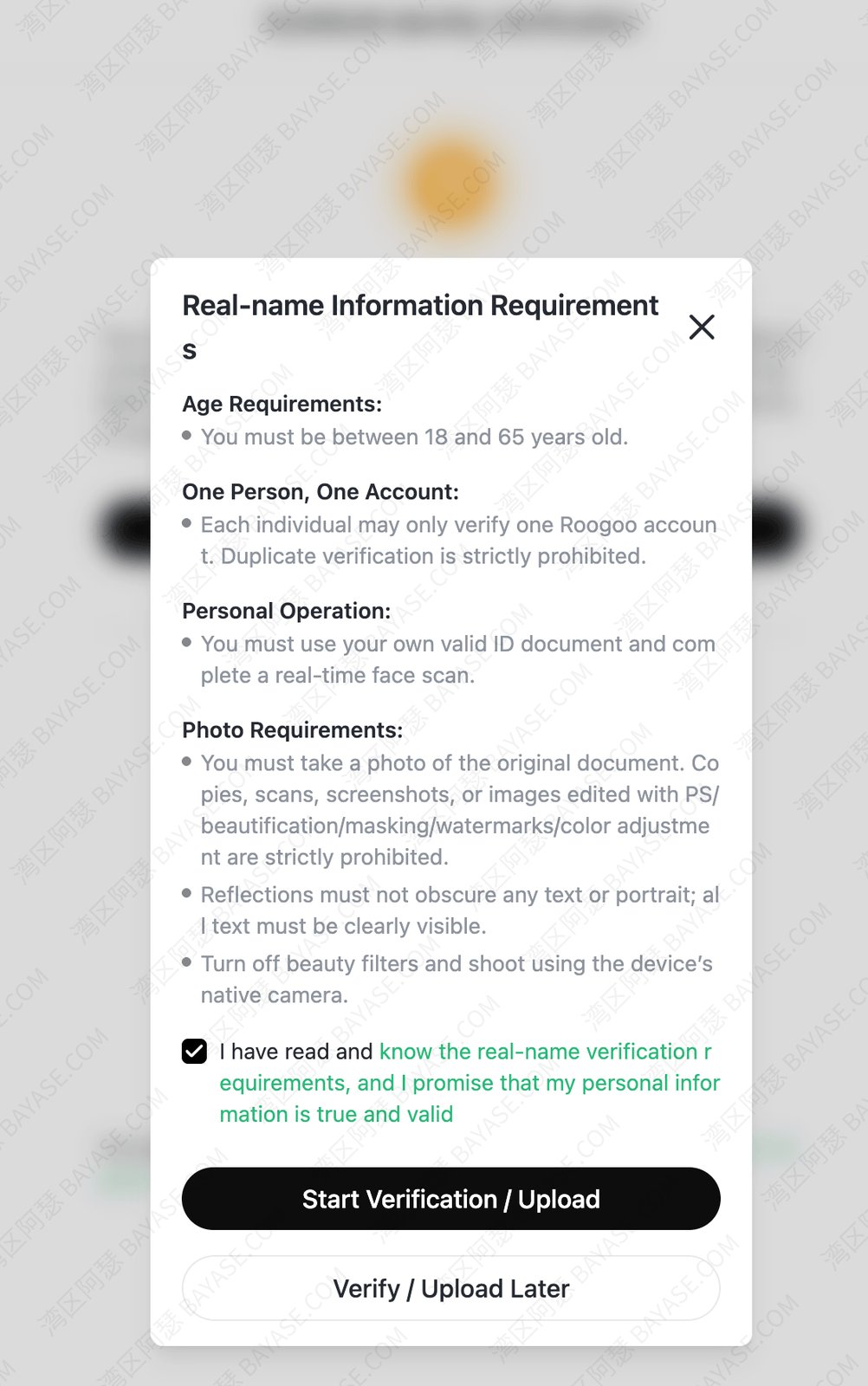
Personally, I recommend using Sumsub verification, since many international payment platforms can reuse that verification data directly. It saves you from repeating the same process again and again.
💡 Tip: If a platform lets you use everything without any verification at all, that’s usually not a good sign.
Proper compliance and KYC requirements are actually what make a platform more stable and secure in the long run.If you’re new to this, you can check this guide on how to buy and top up USDT:
How to Buy USDT on Binance and Use Coinepay Virtual Cards (Step-by-Step Guide 2025)
Once you’ve completed KYC and added funds, simply choose a card type and click to apply.
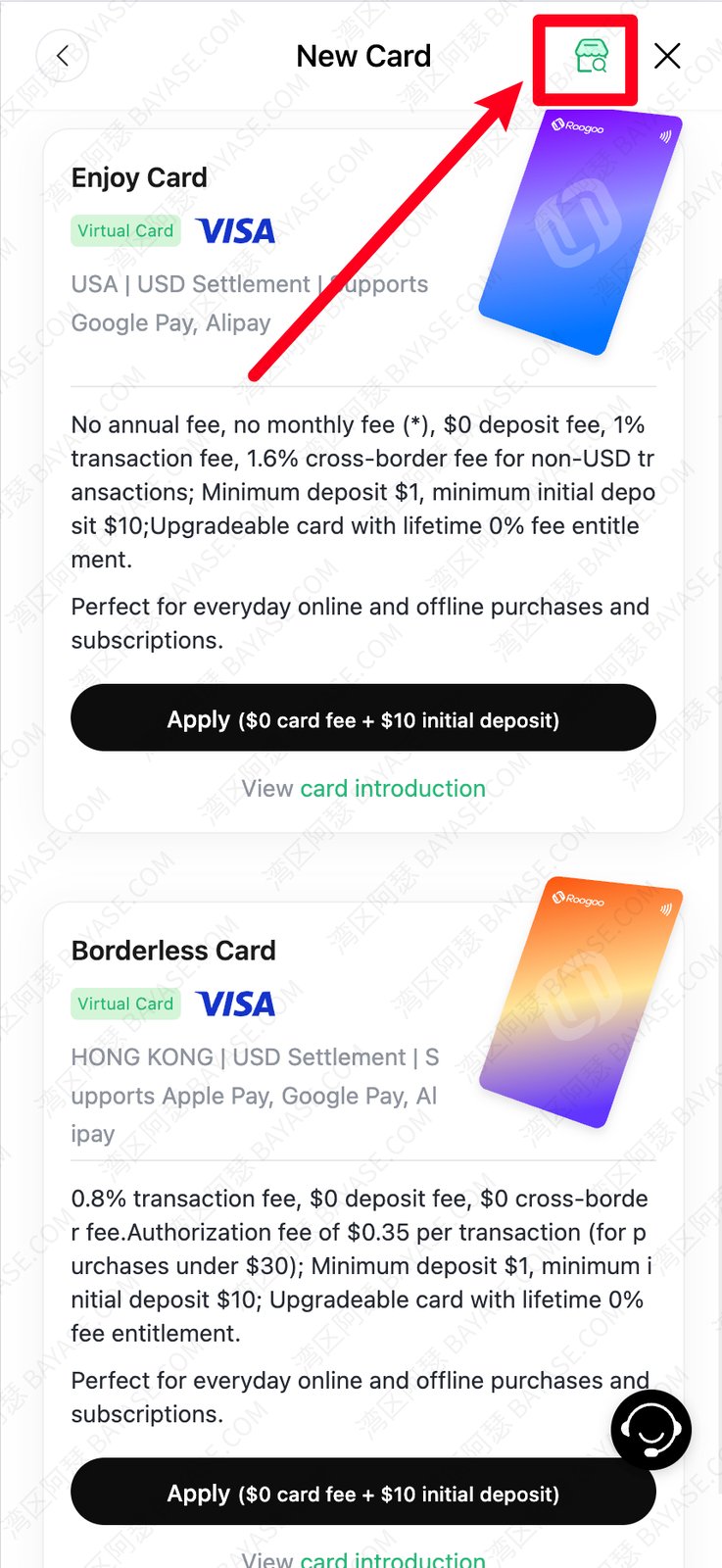
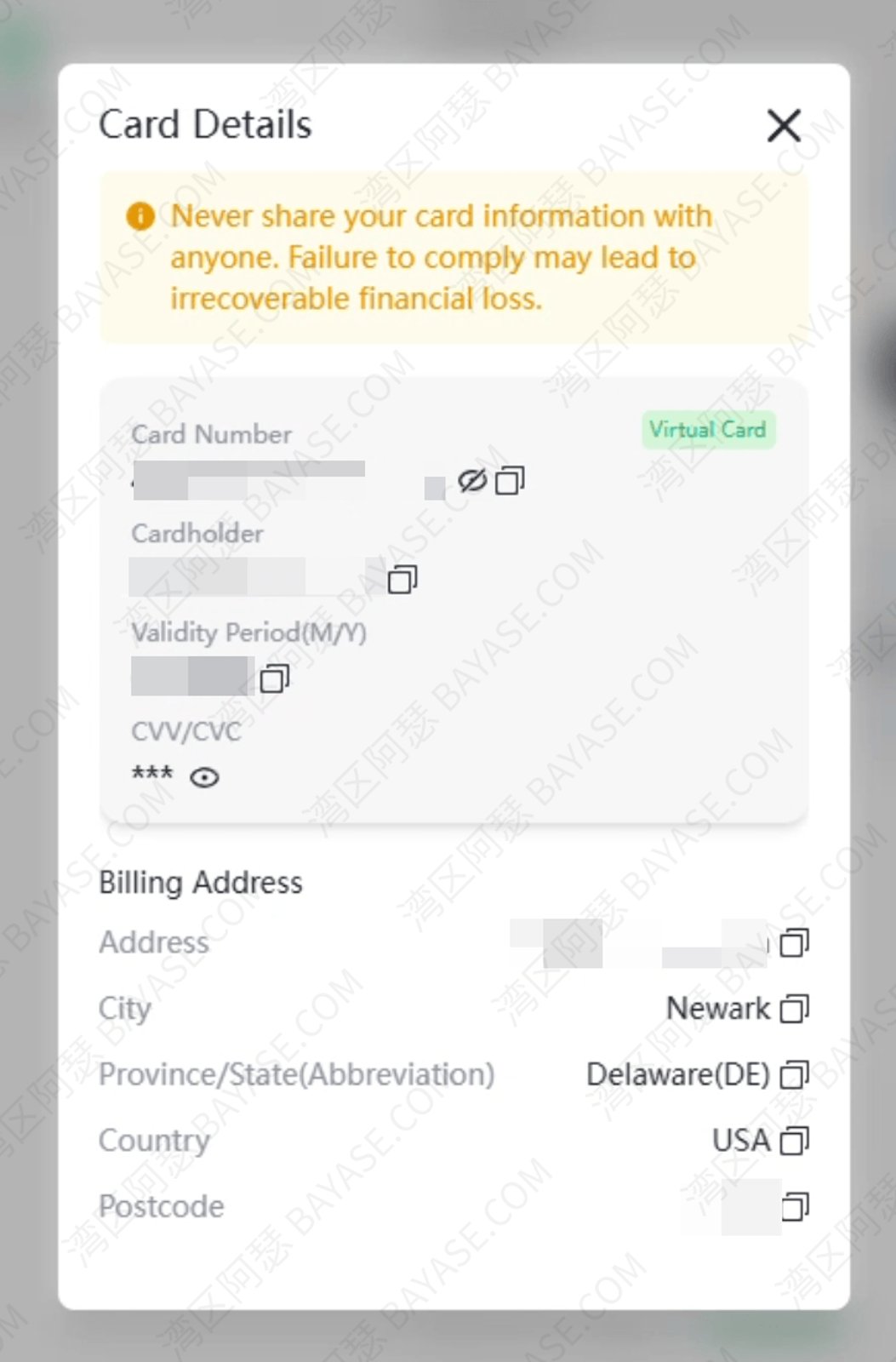
After that, you’ll be able to view your card number, expiration date, CVV, and other details, and start using it immediately.
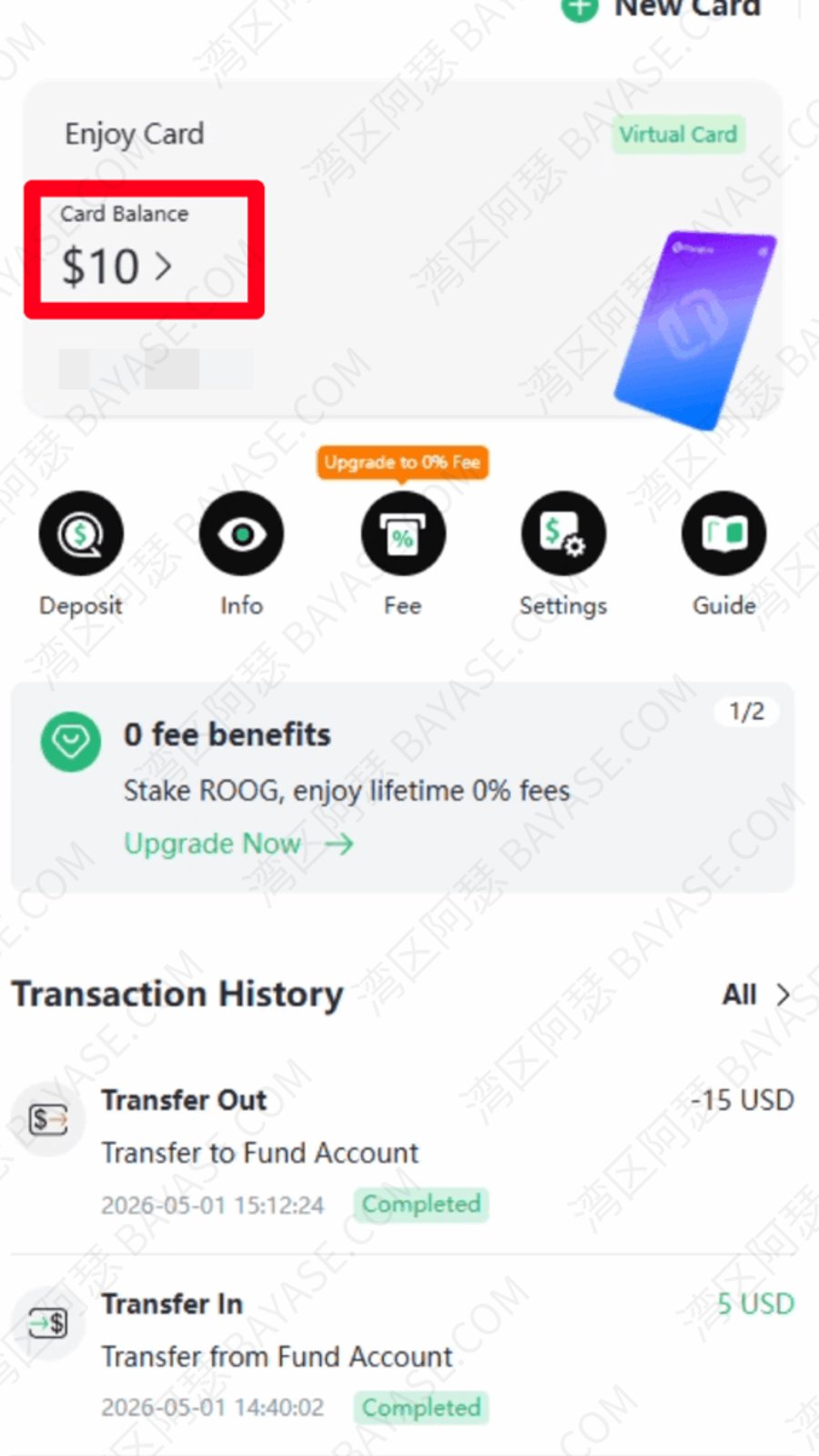
At the same time, you can also check your newly added $10 balance, along with merchant fees and past payment success records, directly inside the platform.
On paper, ChatGPT costs $20/month.
But in reality, what you pay depends a lot on which card you’re using.
Here’s a more realistic comparison:
| Platform Type | Subscription | Fees | Total Cost |
|---|---|---|---|
| Roogoo (first 7 days) | $20 | $0 | $20 |
| Roogoo (after trial) | $20 | ~$0.2 – $0.5 | ~$20.2 – $20.5 |
| Typical bank / other cards | $20 | ~$0.4 – $1 (≈1.95% FX + fees) | ~$20.4 – $21 |
If you’re just testing ChatGPT or trying to get your first successful payment through:
Meanwhile, most other cards:
A lot of people fail their first few payment attempts.
And if every attempt costs extra fees, it adds up quickly.
That’s why having a zero-fee testing window is actually more important than it sounds.
It’s not just about saving a few cents —
it’s about reducing your trial-and-error cost to almost zero.
These are small details, but they matter:
If your goal is simple — just subscribe to ChatGPT without dealing with payment failures — then:
you don’t need the “best” card.
You just need one that works consistently.
Right now, that usually means:
Once it works, don’t over-optimize it.
Just keep using it.
A1: Not exactly. Most “free virtual cards” simply mean there is no card issuing or setup fee, but you’ll still encounter small costs when you actually use the card. These can include transaction fees (usually around 0.8%–2%), currency conversion fees, and sometimes minor authorization charges. So while you can get started with a virtual card at zero upfront cost, the real expense comes when you use it for payments like a ChatGPT subscription or other online services.
A2: A declined payment usually comes down to a few specific issues rather than the card itself being “bad.” The most common reasons include blocked BIN ranges, unsupported issuing countries, mismatched billing information, or unstable IP environments. For example, if you’re using a virtual card issued in one region but connecting from a completely different location, payment systems may flag it as suspicious. To improve your success rate, it’s important to use a clean BIN, a supported region (US works best), and consistent billing details.
A3: No, not all virtual cards will work for ChatGPT or similar AI platforms. Many low-quality or overused virtual card providers have their BINs flagged or blocked by payment systems. This means even if the card looks valid, it may still fail during checkout. The key is to use a virtual card that has a proven track record of working with AI subscriptions, ideally with recent successful payment cases rather than outdated recommendations.
A4: The “best” virtual card really depends on your situation, but in general, you want something with a high payment success rate, low fees, and easy onboarding. In 2026, most users prefer platforms that offer US-issued virtual cards, because they tend to have better compatibility with ChatGPT and other AI services. Features like low setup cost, stable payment processing, and support for USDT top-ups also make a big difference for beginners.
A5: Not always, but in many cases, yes. A lot of virtual card platforms use USDT or other stablecoins as their primary funding method because it’s fast, global, and relatively easy to process. While some platforms still support traditional payment methods, they can be slower or less reliable depending on your region. For users who want a smoother experience, learning how to top up with USDT is often worth it.
A6: The base price for ChatGPT Plus is $20 per month, but your actual cost will usually be slightly higher when using a virtual card. After adding transaction fees, currency conversion fees, and exchange rate differences, most users end up paying somewhere between $20.2 and $21. The difference isn’t huge, but it’s important to understand so you don’t get confused when the final charge doesn’t exactly match the listed price.
A7: Generally speaking, virtual cards are actually safer than using your main physical card for online transactions. Since they can be used for specific payments and often come with spending limits, they reduce the risk of fraud or unauthorized charges. However, safety also depends on the platform you choose. It’s important to use a reputable provider and avoid keeping large balances on your virtual card account unless necessary.
A8: If your virtual card payment keeps failing, the worst thing you can do is keep retrying blindly, because each attempt may trigger additional checks or fees. Instead, take a step back and check the basics: make sure your card’s issuing region is supported, confirm your billing information matches, and ensure your IP environment is stable. If possible, test with a small payment first or switch to a different virtual card provider that has a higher success rate for ChatGPT subscriptions.
That's the end — thanks for reading!
Here are some communities created by Arthur. Feel free to join if you're interested:
The Telegram groups have fewer chat restrictions. Just add the bot and select the type of community you'd like to join:

You can also add Arthur as a Telegram contact:

Connect with Arthur and stay closer.
Disclaimer: The content of this article reflects personal opinions only. Any financial actions taken based on this information are at your own risk, and any resulting losses shall be borne solely by the operator.