加群或其他问题可扫二维码添加阿瑟

加群或其他问题可扫二维码添加阿瑟

How to Activate Codex? Want Codex but stuck on which plan to buy, how to pay without an overseas credit card, or why your bank card gets declined? This guide covers ChatGPT Plus vs Pro, virtual card checkout, IAP, and how to verify Codex after you subscribe.

You’ve seen Codex screenshots of people shipping code, fixing bugs, and running tests. You open ChatGPT looking for a button that says “Unlock Codex.” There isn’t one. Some posts say you need Plus. Others say Pro. Plenty of people complain their bank card never goes through. It’s a mess.
Sound familiar?
I’ll cover all of that here: how Codex ties to ChatGPT plans, how to choose Plus vs Pro, where payment fits in, which signup paths actually work, and how to verify access after you pay. API wiring and local CLI setup are engineering details for another article. This one is about unlocking and confirming Codex.
TL;DR: How do you unlock Codex? You subscribe to ChatGPT Plus or Pro. There is no separate “Codex membership.” For long-term use, prefer a virtual card. After checkout, refresh your account, open chatgpt.com/codex, download the Codex client, and verify access before you pay a second time.
Let’s clear up the most common mix-up first.
There is no standalone product called “Codex membership.” What you pay for is a ChatGPT plan: Plus, Pro, or team options like Business / Enterprise / Edu.
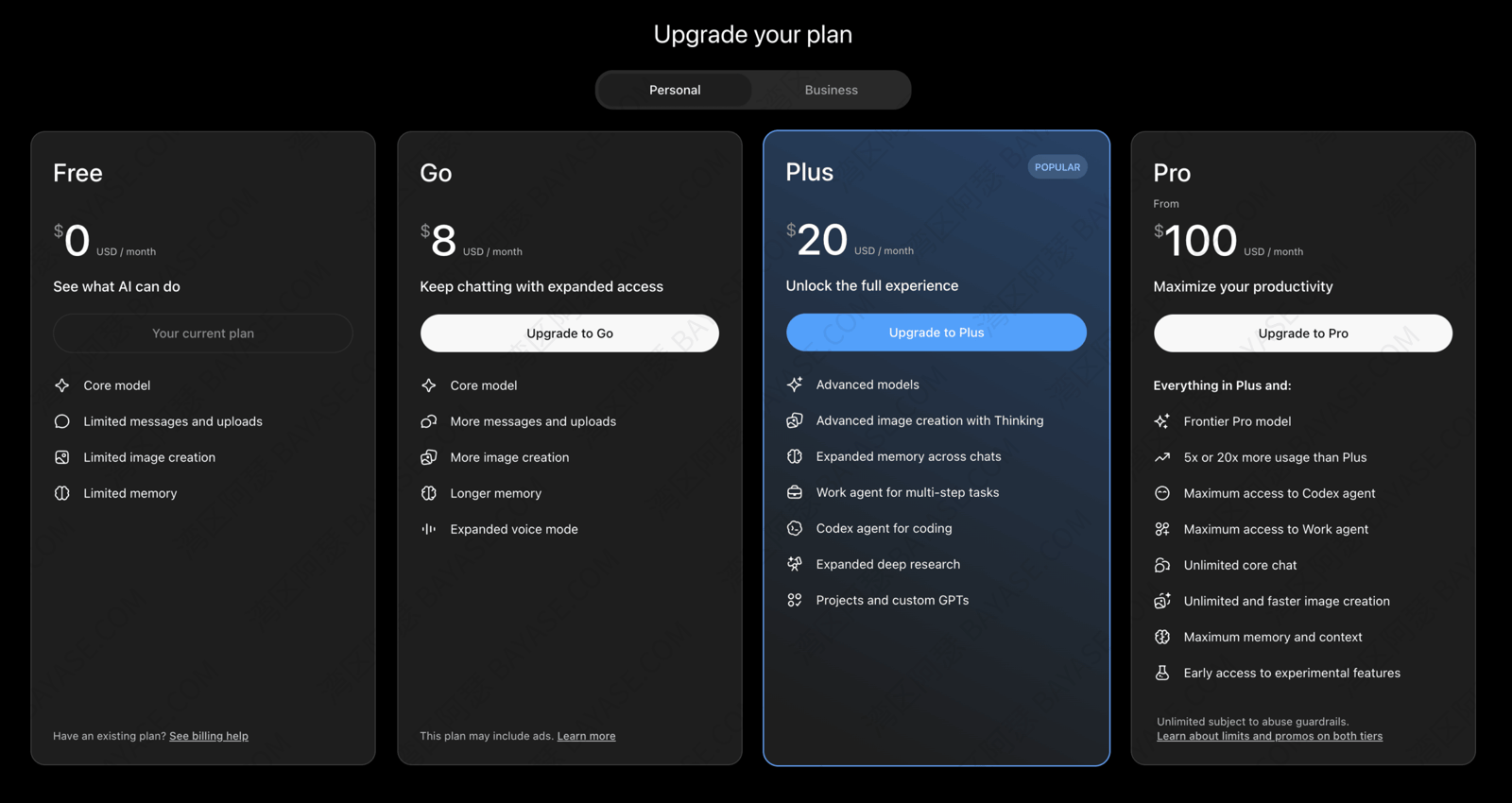
Once that plan is active, Codex access comes with the account. You don’t place a second, separate order.
That matches how Codex rolled out. It started as a research preview for Pro, Enterprise, and Team users, then gradually opened to Plus.
So if you’re asking “what is Codex,” here’s the short version: it’s OpenAI’s cloud coding agent. It can write features, hunt bugs, and draft PRs inside an isolated sandbox. The gate is whether your ChatGPT membership qualifies.
If you want Codex, stop hunting for a separate Codex checkout. Decide whether you need Plus or Pro. The rest of this guide is about getting payment to work.
Here’s a quick map so you can place yourself before we go deeper.
| Your situation | Better fit | Notes |
|---|---|---|
| Just want to see what Codex looks like | Start on a free account | Limited, but enough to decide if upgrading is worth it |
| Occasional code review or error explanations | ChatGPT Plus | Fine for light development and learning |
| Daily repo work, tests, and hard bugs | ChatGPT Pro | Better for high frequency and longer tasks |
| Company or school bulk purchase | Business / Enterprise / Edu | Needs admin to open the Codex entry |
That table should point you in a direction. Next I’ll break down Plus vs Pro more carefully.
Plus and Pro are priced far apart, so a lot of people wonder whether they should jump straight to the top tier.
For most individuals, you don’t need the most expensive plan on day one. The gaps show up in a few places.
| Dimension | Plus | Pro |
|---|---|---|
| Codex task concurrency | Usable, but you may queue at peak times | More headroom for parallel jobs |
| Long tasks / large projects | Fine for small edits | Better when Codex needs the whole repo |
| Speed and stability | Solid for normal use | Steadier under heavy daily load |
| Best for | Learning, light coding, occasional help | Daily development and frequent code review |
ChatGPT Pro and ChatGPT Plus are both membership tiers. They just differ in intensity. Use the three questions below to decide.
Don’t rush checkout. Ask yourself:
If most answers are no, start with Plus and run it for a while. Upgrade to Pro when limits or speed clearly can’t keep up. Pro is valuable when your workload is heavy. Spend where you’ll actually use it.
Plan choice is the easy part. Payment is where a lot of people get stuck.
You may have already tried the card in your wallet, or a dual-currency card you use every day, on the ChatGPT checkout page, only to hit the same failure again and again:
Your card was declined. Please try a different card.
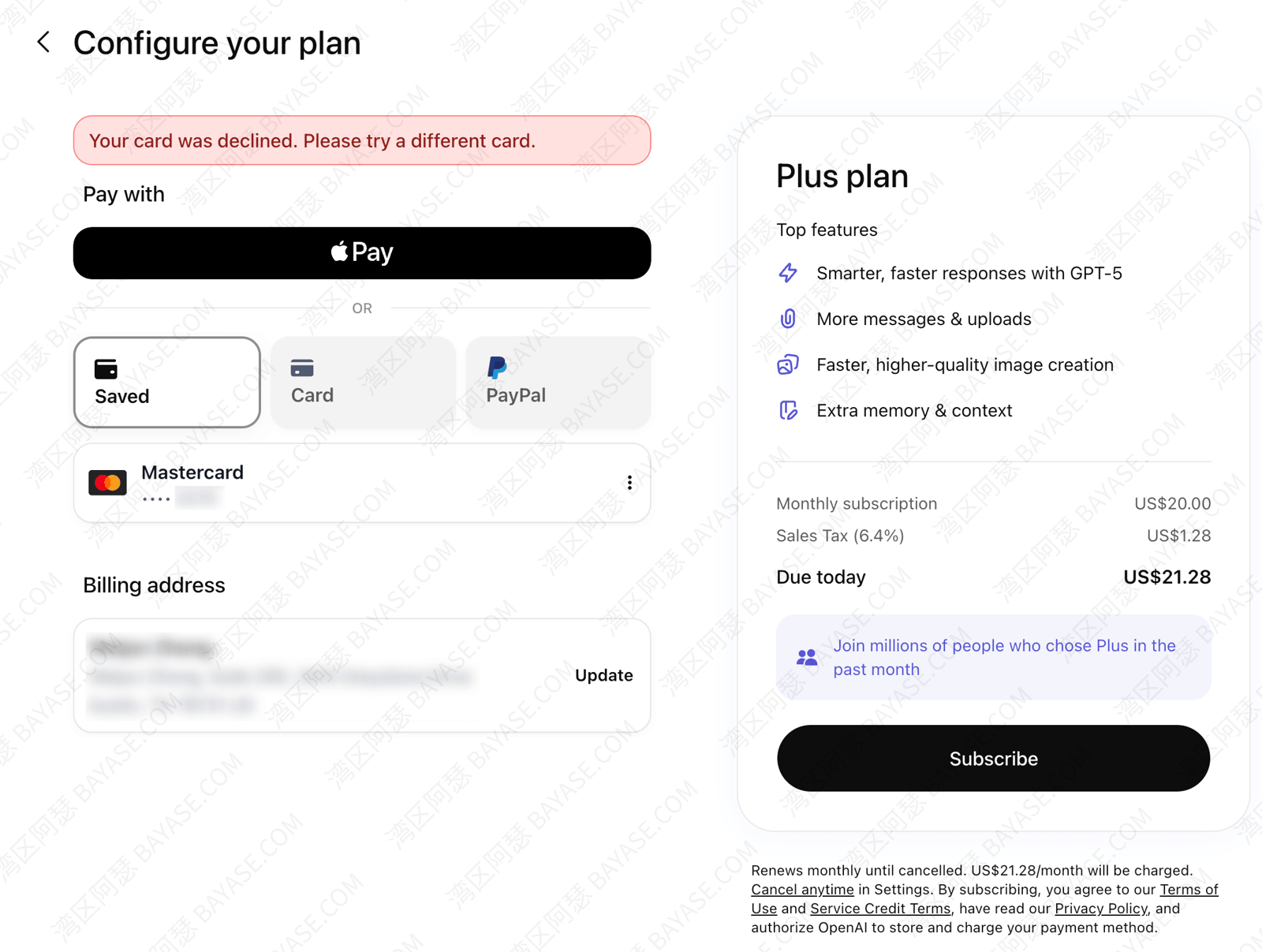
That usually isn’t a click-path mistake. A few layers sit behind it.
Web subscriptions go through international gateways like Stripe. They score issuing region, billing address, and card network type as part of fraud checks.
If the issuing bank, billing address, and the IP region you use at checkout don’t line up, the system often flags the charge as risky and blocks it.
That is one of the most common reasons people search for “ChatGPT subscribe card declined.”
If your route to the open internet is unstable, you keep switching exit IPs, or you land far from the region your card usually bills in, the system may treat that volatility as risk.
Exits in places like the US, Singapore, or Japan tend to clear global subscriptions more often. “More often” is not a guarantee.
Short answer: basically no. Web checkout runs on Visa / Mastercard rails. UnionPay cards almost never work there. You hit decline immediately: Your card was declined. Please try a different card.
So you need at least a Visa or Mastercard, and the issuing region should match the payment setup.
Common errors and likely causes:
| What you see | Likely cause |
|---|---|
| Card declined, no useful detail | Issuing region, billing address, and IP don’t match |
| Repeated 3D Secure prompts that never clear | Bank has not enabled overseas online payment verification |
| Subscription succeeds, then cancels quickly | Bank later blocked the overseas charge |
| UnionPay card can’t even be selected | Gateway doesn’t support UnionPay card types |
Once you see the pattern, it’s clear: the problem is usually the payment path, not a wrong click.
Next I’ll lay out the routes that actually work so you can pick one that fits.
From the analysis above, three practical paths show up. Each has a different fit.
| Path | Difficulty | Cost control | Long-term stability | Recommendation |
|---|---|---|---|---|
| A Virtual card | Low | High, top up as needed | High, account ownership is clear | ★★★★★ |
| B App Store / Google Play IAP | Medium | Okay | Medium, depends on account region | ★★★★ |
| C Real overseas card you already have | Low (if you have the card) | High | High | ★★★★ |
In short, if you want Codex for the long haul, and maybe other overseas services later, a virtual card is the least painful path. Set it up once and keep control yourself.
If you already have a working Visa / Mastercard, jump to Path C or B. Details below.
A virtual card fixes the core mismatch from Section 3: wrong issuing region.
When you open the card, pick a region that matches the target service (the US is a common choice). Top up what you need, spend what you need, skip bank chargebacks after the fact, and skip asking someone else to pay for you.
More useful still: the same card can cover ChatGPT plus later Midjourney, Netflix, and similar overseas services. One setup, reused for a long time.
If you subscribe across borders often, chasing one-off workarounds every month is worse than fixing payments once. For long-term users, ChatGPT on a virtual card is the path I recommend most often.
I also wrote a roundup to help you pick a GPT-friendly virtual card: 2026 free virtual card platforms (no card fee + GPT-ready)
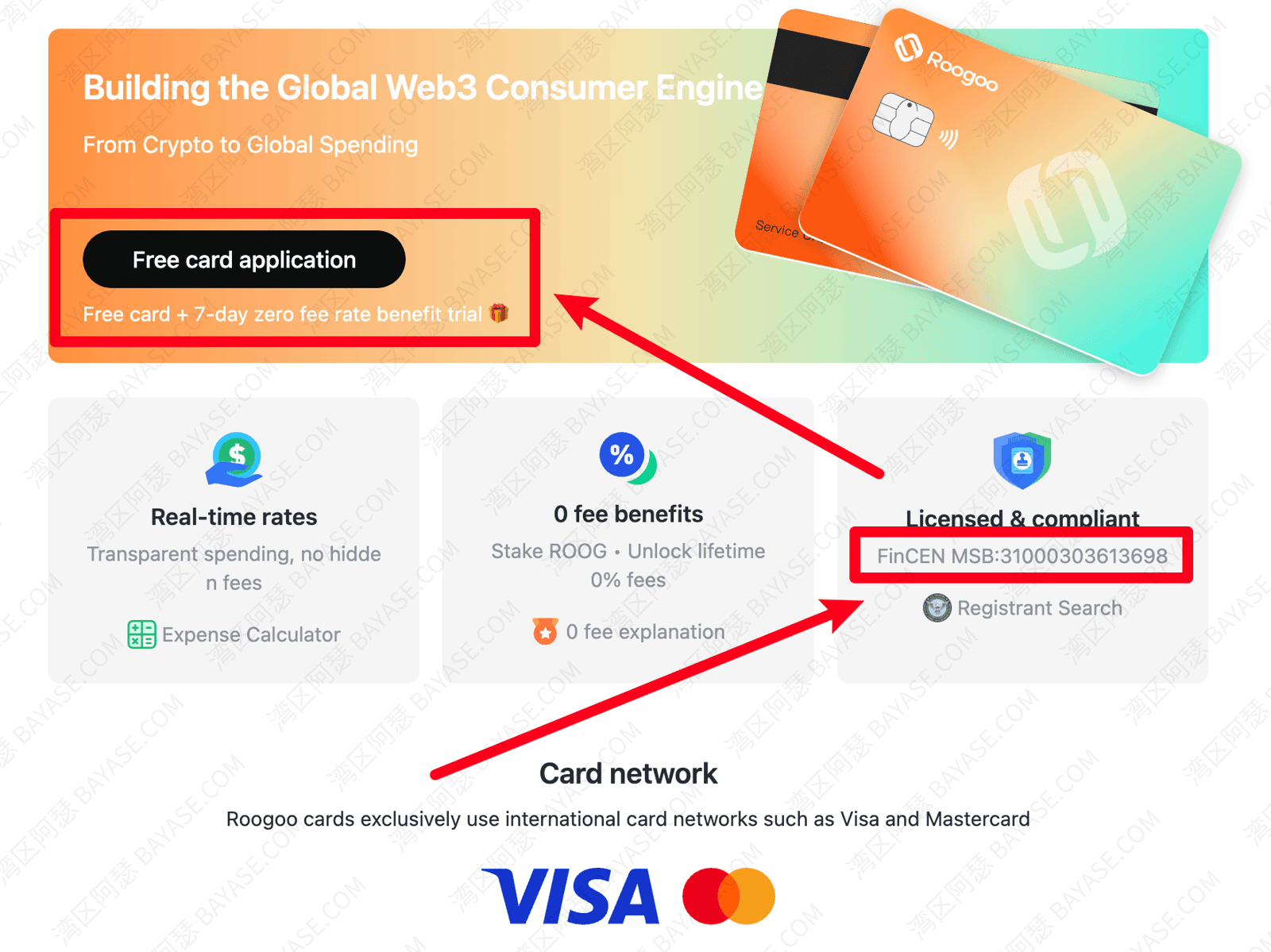
I’ll use Roogoo as the example. Exact UI copy follows the official site. Similar options include DogPay and CoinPay. Opening steps are close enough; pick whichever feels easier.
Step 1: Sign up for Roogoo and complete the basic identity fields.
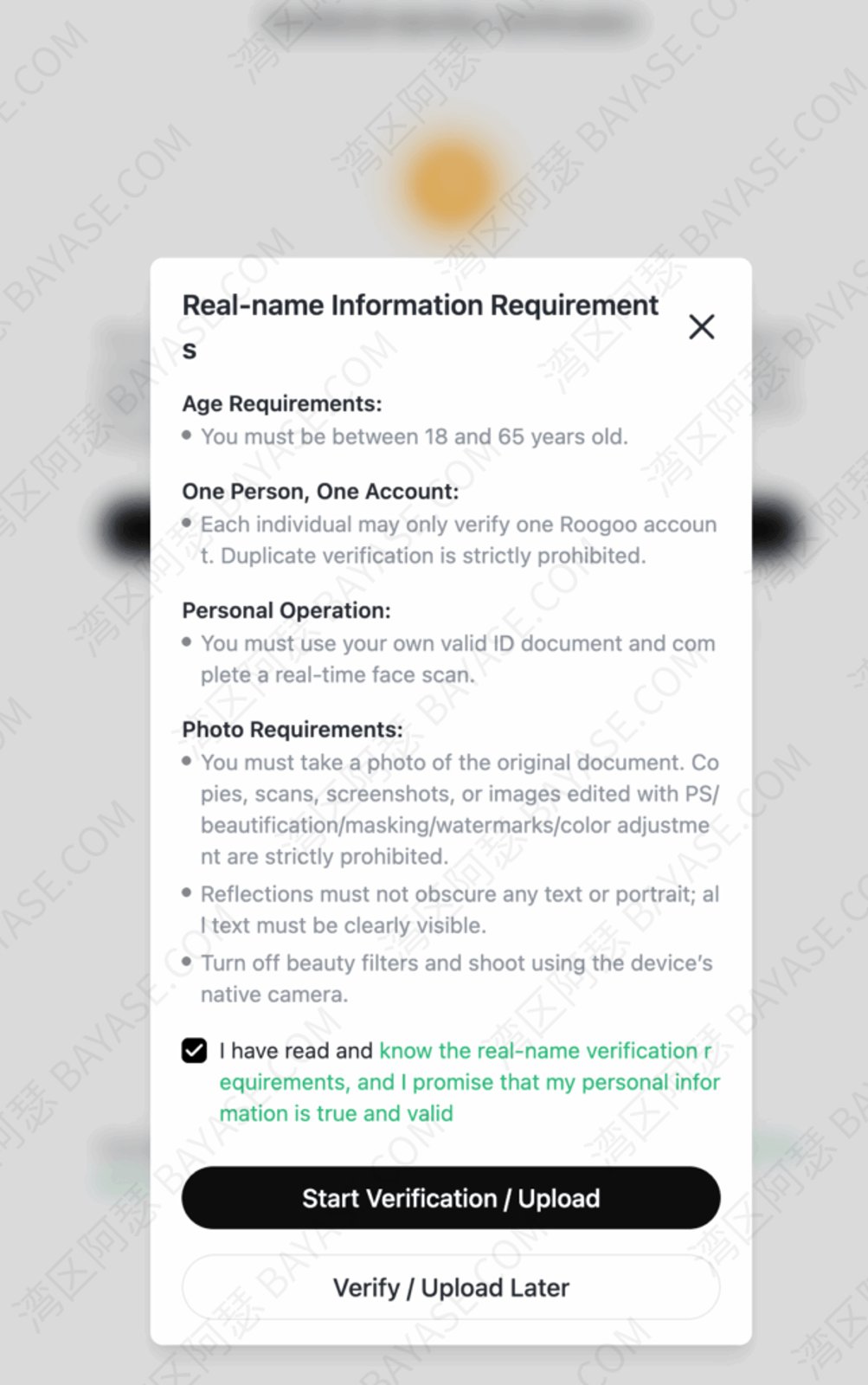
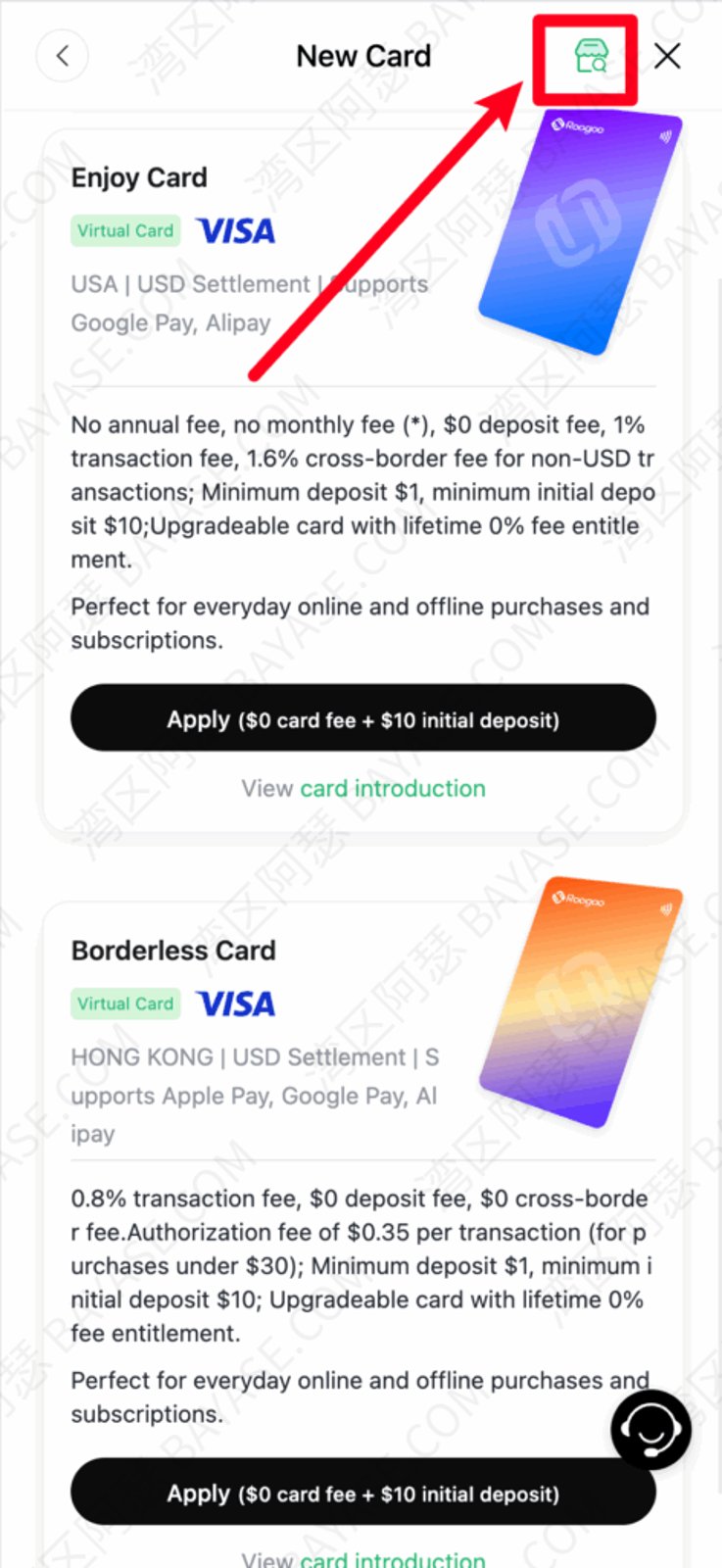
Step 2: Create a virtual card in the dashboard. With the official promo link above, the first card is free.
Pick Visa or Mastercard. For region, US, Singapore, and other common overseas subscription regions usually work well.
Step 3: Top up the card. Most people fund it through Binance or Bitget.
You can keep a bit of extra balance on Binance or Bitget, but don’t park a huge balance on Roogoo or other virtual card platforms. Top up what you’ll spend. No need to pre-load a large float.
New to Binance or Bitget? These guides help:
How to buy Bitcoin on Binance: C2C trading and USDT top-ups
Bitget registration guide 2026: US stocks, KYC, and Bitget Stocks 2.0 for beginners
Binance registration tutorial: account setup, identity verification, and APP / APK download
Once the card is ready, go back to ChatGPT checkout and enter the card number, expiry, and CVV as usual.
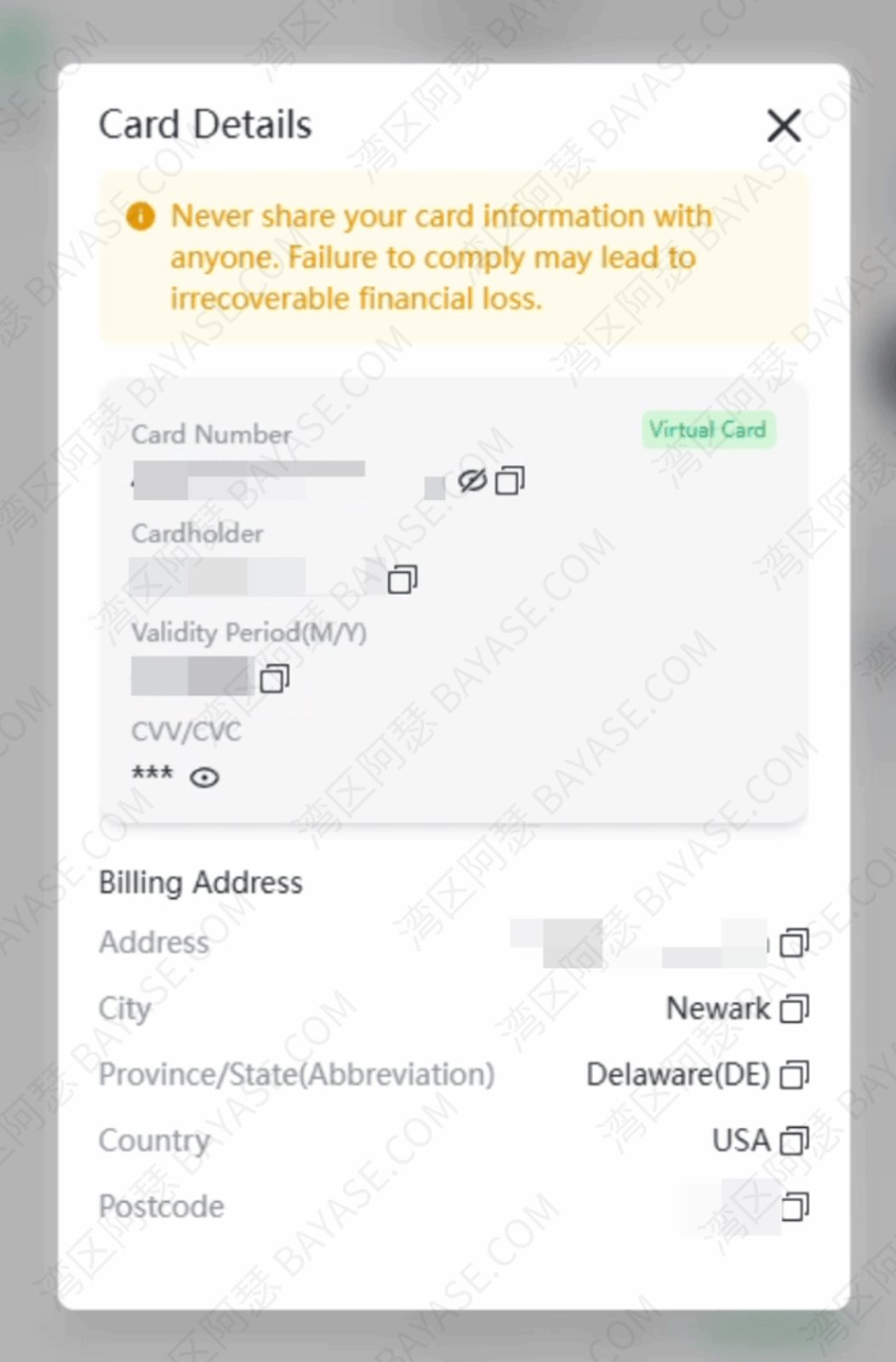
Keep the billing address aligned with the card’s registered region. That is the easiest trap to miss.
Submit the form. In normal cases the subscription completes, and Plus or Pro updates within a few minutes.
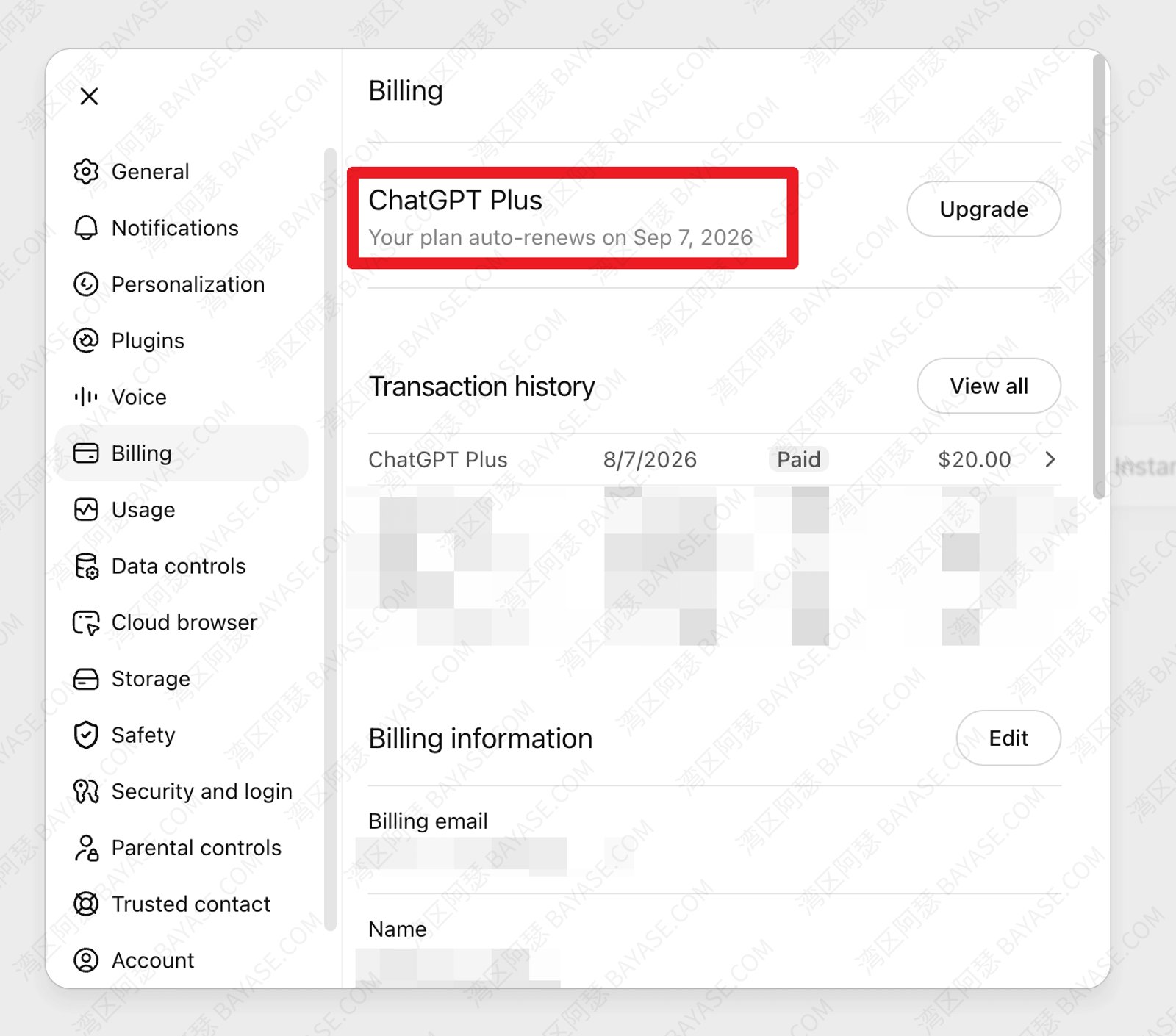
This is also the step where most ChatGPT Plus subscribe walkthroughs get stuck, and where the fix is usually the simplest.
A virtual card is not a 100% success guarantee.
Real success rates still depend on the region you pick and whatever risk rules are live that day. Compared with forcing through a card that has already thrown “Card was declined” more than once, a virtual card is usually the smoother path.
Some people follow the same flow and still see “Card was declined” on the web page.
Don’t panic. You can fall back to Apple Pay or Google Pay.
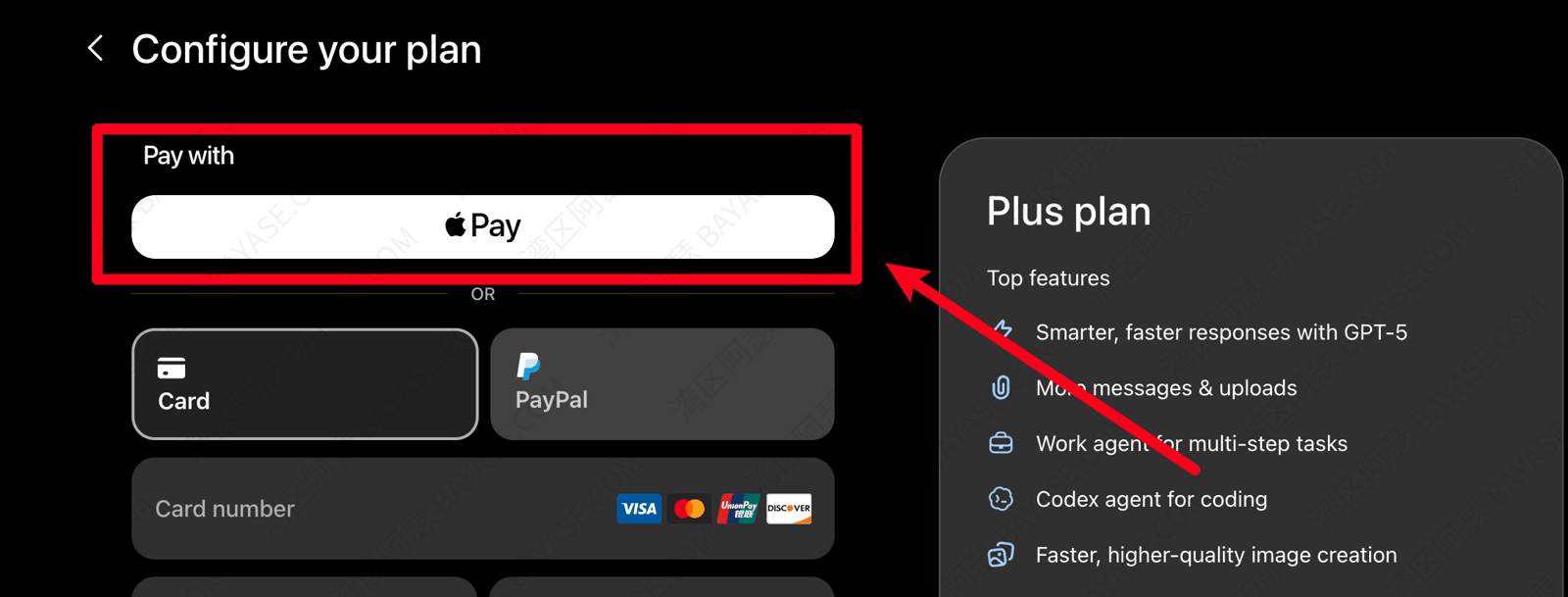
That route can still clear payment:
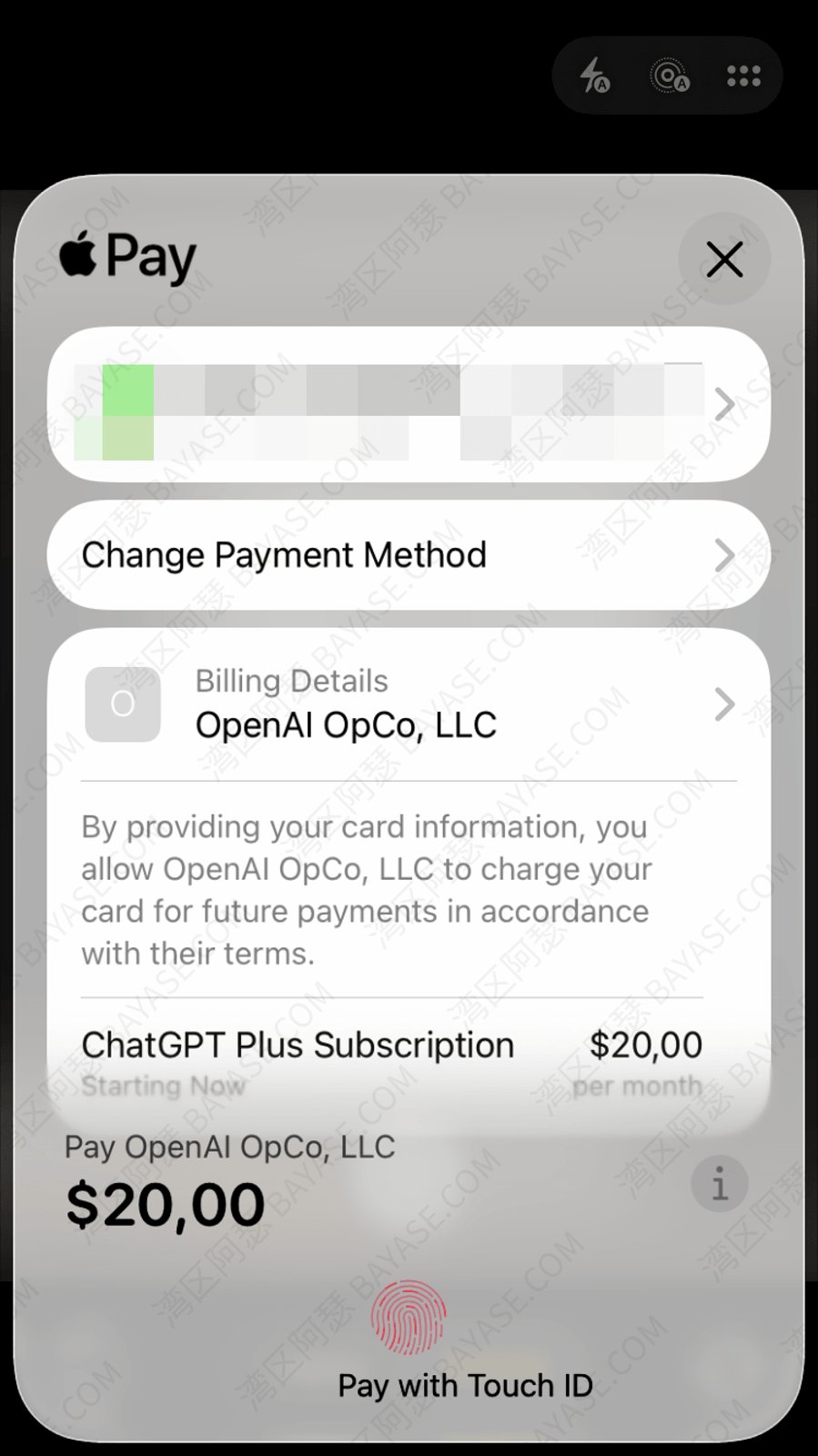
Want more virtual card options? Read:
2026 free virtual card platforms (no card fee + GPT-ready)
If you already have a US (or other overseas) Apple ID or Google account, in-app purchase is another option.
Rough steps: register an account for that region, bind a Visa / Mastercard that matches the region, install the regional ChatGPT app, then upgrade to Plus or Pro inside the app.
A few details get missed. If you previously installed ChatGPT from a non-target store account, uninstall and reinstall so region metadata doesn’t collide.
Apple’s rails are usually a bit looser than Google’s on first try, so start with the App Store when you can. Once it works, you’re still on your own real account, with clear ownership and later management.
If you already have a real overseas credit card whose issuing region matches your payment setup (a US card, for example), this is the most direct path. One caveat: a Hong Kong bank card still won’t pay for ChatGPT in most cases.
Sign in at chatgpt.com, open the upgrade page in account settings, pick Plus or Pro, and complete checkout with the card details.
The one thing to watch is billing address versus your actual network exit region. Even a real overseas card can get blocked if those don’t roughly match.
You paid. Don’t celebrate yet. Run this checklist so the money wasn’t wasted.
Refresh ChatGPT, or sign out and back in if needed, and confirm you’re on the same account you just upgraded.
Check that the account status shows Plus or Pro.
Open chatgpt.com/codex, download the Codex client, and confirm you can enter the Codex page.
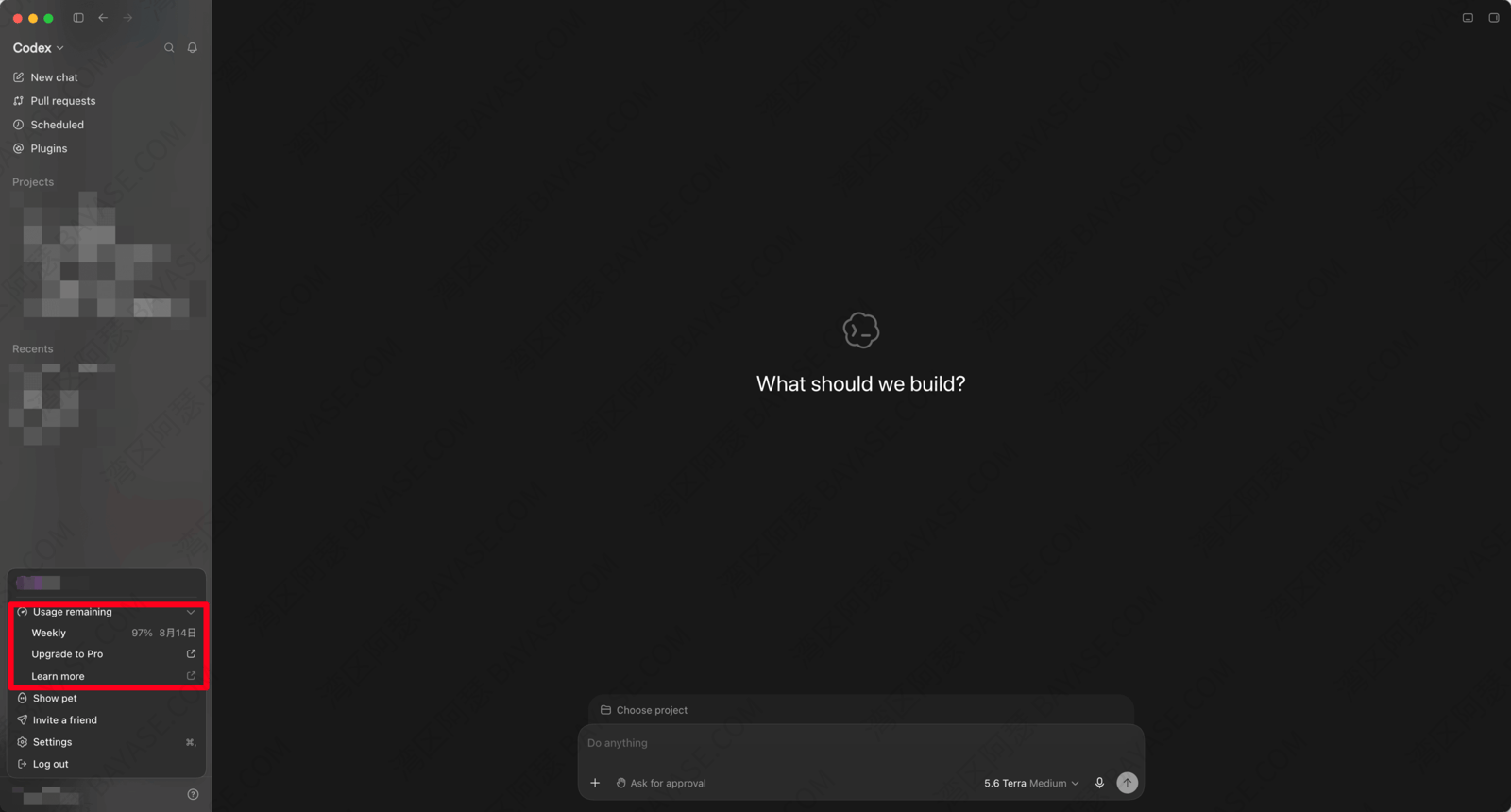
On a team or company account, also confirm an admin has opened Codex for you.
If the signed-in email is wrong, or the page is still grayed out, don’t pay again. It’s usually a wrong account or a status lag. Wait a few minutes and retry.
After verification, skip the hard project for a minute. Drop one prompt that produces something visible and watch it work.
Open Codex, find a coding-style entry point, and send something like:
Build a one-page dark tech personal landing page in HTML with my name, a one-line bio, and three skill tags. It should look good on mobile too.
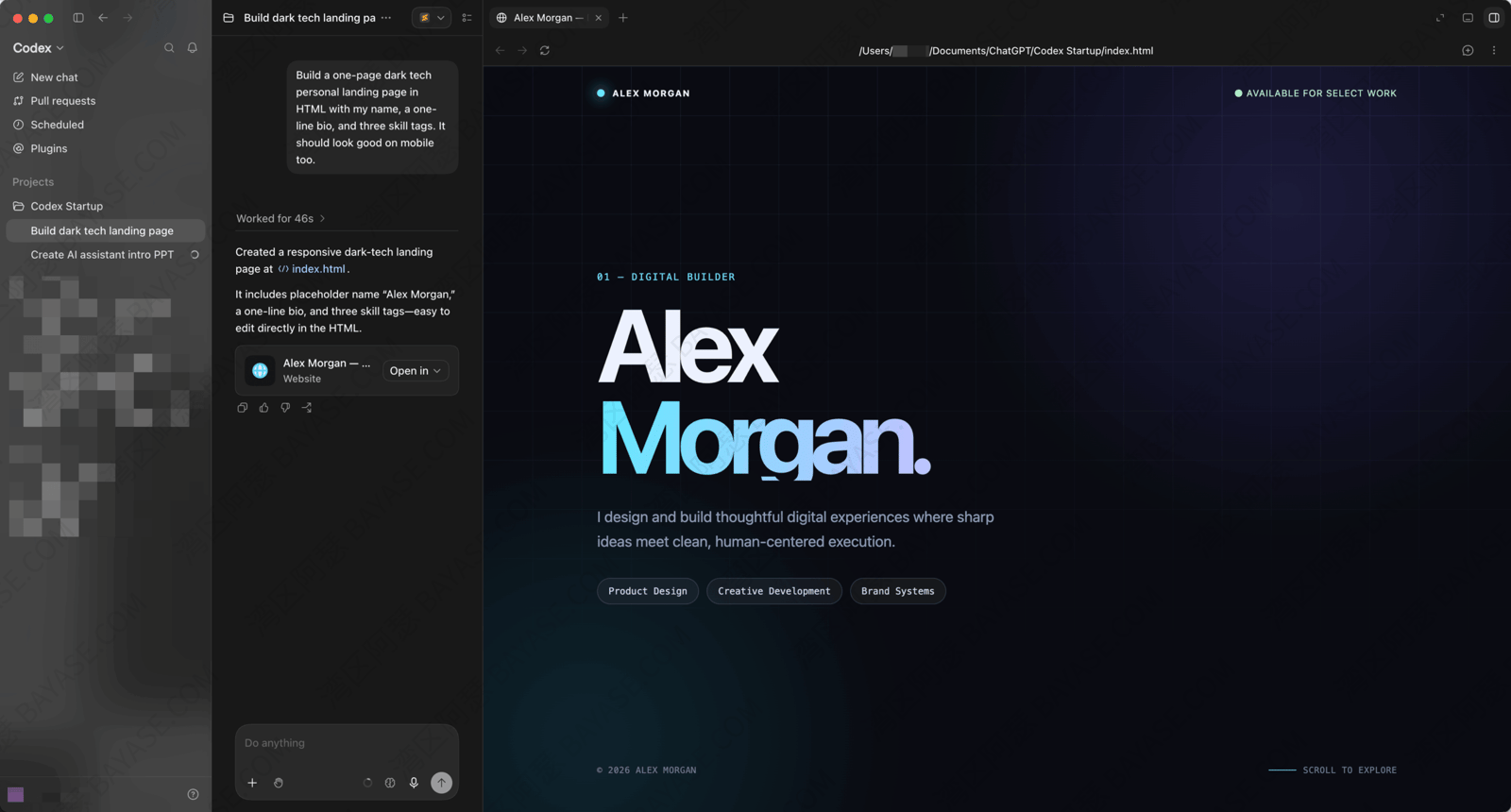
alt: Codex one-prompt personal landing page result
Or go a bit heavier:
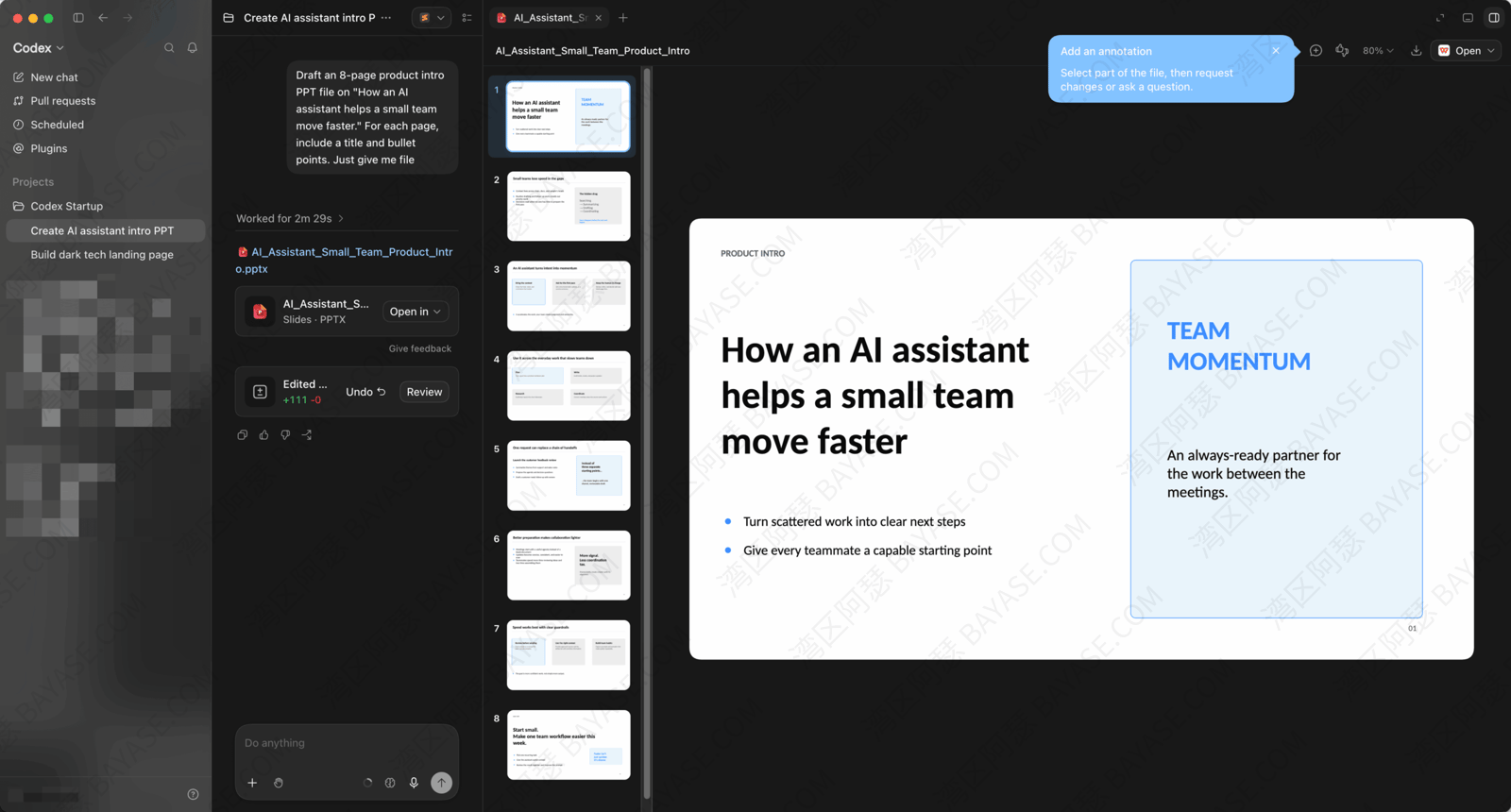
Draft an 8-page product intro PPT file on “How an AI assistant helps a small team move faster.” For each page, include a title and bullet points. Just give me file
Then wait for the result. On the web app you’ll often get a previewable page.
alt: Codex preview of the generated webpage
For PPT-style tasks, you usually get structure and copy ready to polish. That saves a lot of fiddly formatting time so you can focus on the content.
Don’t chase perfection on round one. A working page or outline means membership and the Codex entry are both live. Real projects can come next.
CLI, MCP, and deeper workflows get their own Codex tutorial later. For this article, one-prompt output is enough.
Quick close:
If you plan to use Codex as a daily coding helper, fix payments once so every renewal isn’t another fire drill.
Even better: once you have your own virtual card, the same setup covers Midjourney, Netflix, and other overseas subscriptions:
2026 free virtual card platforms (no card fee + GPT-ready)
If you don’t want to compare options, you can just follow my setup and use Roogoo.
Codex is not a product you buy on its own. Access comes with a ChatGPT membership plan (mainly Plus, Pro, and team tiers today). Once that plan is active, the account gets Codex permission. No second separate order is required.
Two common options. Open a virtual card, pick a matching region, and subscribe on the web so you keep control. Or use an overseas Apple ID / Google account and pay via in-app purchase. For long-term use, start with a virtual card.
Stop retrying the same card over and over. The usual causes are a mismatch among issuing region, billing address, and payment environment, or a bank that hasn’t enabled overseas online payment verification. Check those first. If the card simply can’t do overseas subscriptions, switching paths (for example to a virtual card) beats hammering the same checkout.
Confirm you’re signed into the upgraded account, then refresh or sign out and back in. Open chatgpt.com/codex directly. On team or school accounts, an admin still needs to grant access. Most of the time it’s an account switch or a status lag, so don’t rush a second payment.
If you only use Codex now and then to read code or explain errors, Plus is usually enough. If you throw projects, tests, and code review at it every day, with higher concurrency needs, Pro is steadier. Run Plus for a while first and upgrade when limits or speed fall behind. You don’t need the top tier on day one.
That's the end — thanks for reading!
Here are some communities created by Arthur. Feel free to join if you're interested:
The Telegram groups have fewer chat restrictions. Just add the bot and select the type of community you'd like to join:

You can also add Arthur as a Telegram contact:

Connect with Arthur and stay closer.
Disclaimer: The content of this article reflects personal opinions only. Any financial actions taken based on this information are at your own risk, and any resulting losses shall be borne solely by the operator.