加群或其他问题可扫二维码添加阿瑟

加群或其他问题可扫二维码添加阿瑟

Hit "Your card has been declined" at ChatGPT Plus subscribe checkout? Fix declined payments with virtual cards, iOS in-app purchase, or other options — free vs Plus explained.

You're using the free tier, and suddenly you hit the usage cap. You want to analyze a long PDF, generate images, or skip the queue at peak hours — so you tap Upgrade to Plus, and the ChatGPT Plus Subscribe checkout page throws back:
“Your card has been declined”
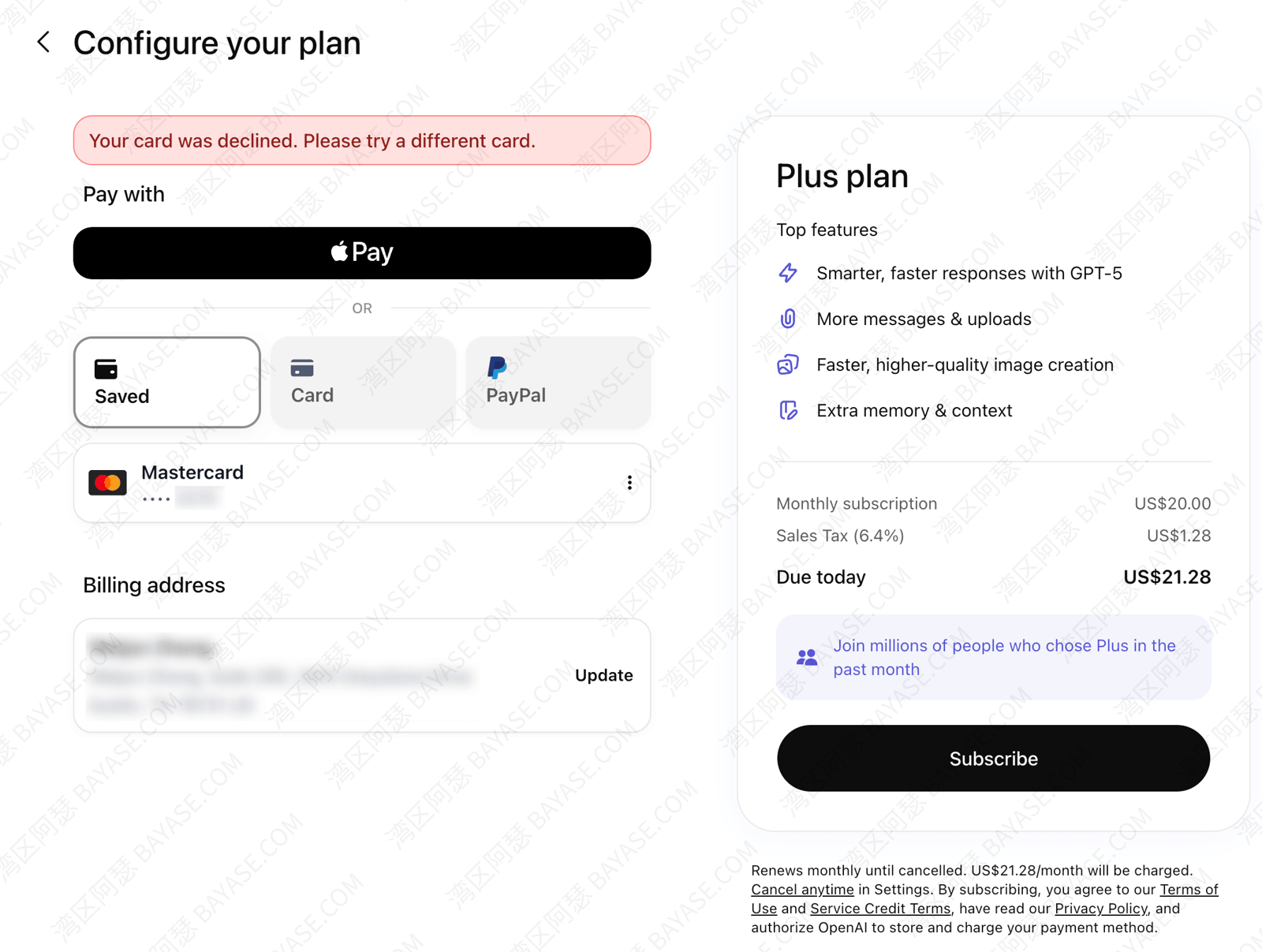
Your card has balance. It's a real Visa. So why won't ChatGPT Plus go through? Is something wrong with your account? Should you keep retrying?
If you're stuck on the payment step of a ChatGPT Plus subscription guide, this article is for you.
Here's the short version up front:
This usually isn't a mistake on your part. OpenAI uses Stripe for billing, and many local cards simply aren't accepted for AI subscriptions — combined with network and billing-address mismatches. Don't hammer the pay button on the same page — too many failures can flag your account as high-risk and make everything harder later.
Below I'll walk through whether Plus is worth it → what to prepare → standard subscription steps → why cards get declined → what actually works when your card keeps failing for subscribing to ChatGPT Plus in 2026. If you're willing to set things up once, I'd start with a virtual card — open it once, then pay for ChatGPT, Claude, Midjourney, and other overseas subscriptions yourself.
Don't want to read the whole thing? Use this table to pick in 30 seconds:
| Your situation | What I'd try first |
|---|---|
| Long-term use, plus Claude, Netflix, etc. later | Virtual card + stable international network (Plan A below — Roogoo is my top pick) |
| Don't want to touch cards or network setup at all | Third-party top-up service (Plan D — verify the provider carefully) |
| iPhone user, comfortable with Apple ecosystem | US Apple ID + gift card in-app purchase (Plan B) |
| Overseas card ready, web checkout still fails | Run the decline self-check first (billing address / IP / balance) |
| Multiple failures, extra SMS verification on login | Pause web card tests; switch to third-party top-up, in-app purchase, or a fresh email signup |
| Very tight budget, just want a taste | Check if free tier is enough; skip shared accounts |
Terminology note: when other guides say GPT Plus subscription, how to get ChatGPT membership, or ChatGPT Pro signup, they usually mean ChatGPT Plus (~$20/month) — not the $200/month ChatGPT Pro tier for all-day power users. For most readers, Plus is enough; this guide doesn't cover Pro in depth.
A lot of people rush to pay before they understand ChatGPT free vs paid differences — then the payment fails and the stress was for nothing. Decide whether you need Plus first.
In one line: the free tier is already broad; Plus adds quota, speed, long-term memory, and a few exclusive features. Exact model names and limits follow OpenAI's current official docs (as of mid-2026, policies can still change).
| Dimension | Free | Plus (~$20/month) |
|---|---|---|
| Flagship model usage | Limited; often downgrades to smaller models when capped | Much higher limits |
| Context / long documents | Shorter | Longer — better for PDFs and long text |
| Image generation | Small allowance | Significantly more |
| Deep Research / advanced voice, etc. | None or very limited | Included |
| Custom GPTs / long-term memory | None or very limited | Included |
| Peak hours | May queue | Usually prioritized |
| Free trial / free membership | Occasional official promos; no permanent free membership | — |
Free tier is enough if: you ask a few questions a week, translate or edit copy, look things up; inputs aren't long; ChatGPT is a helper, not your main daily tool. You probably won't hit ChatGPT free tier limits.
Upgrade to Plus if: you use it 30+ minutes daily; writing, coding, or coursework depends on it; you keep hitting “usage limit reached”; you want Deep Research, reliable image gen, or the AI to remember your preferences.
OpenAI also offers Go (~$8/month) — more quota than free, cheaper than Plus. Most people can focus on Plus. ChatGPT Pro ($200) is for people who live inside AI all day; for normal productivity users, Plus is the big step up.
Ready for Plus? Keep reading for prep and subscription steps.
About half of GPT subscription failures come from missing prerequisites. Run through this checklist.
Sign up at chat.openai.com with email. Phone verification may be required in some cases. Phone verification policies vary by country and carrier — if your local number keeps failing, try Gmail or Outlook instead.
ChatGPT and the Stripe checkout aren't always reachable from every country. In some regions you may need a VPN to access them reliably. At payment time, your IP location should logically match your billing address and card region — e.g. US card, US exit; community feedback suggests Hong Kong IP for US subscriptions often fails more often.
Use exits in the US, Singapore, or Japan when possible — usually less painful than Hong Kong for US billing. Wrong network setup can decline a perfectly good card.
Avoid disposable emails that land in spam or trigger risk controls. Mainstream overseas mail (Gmail, Outlook, etc.) is safer.
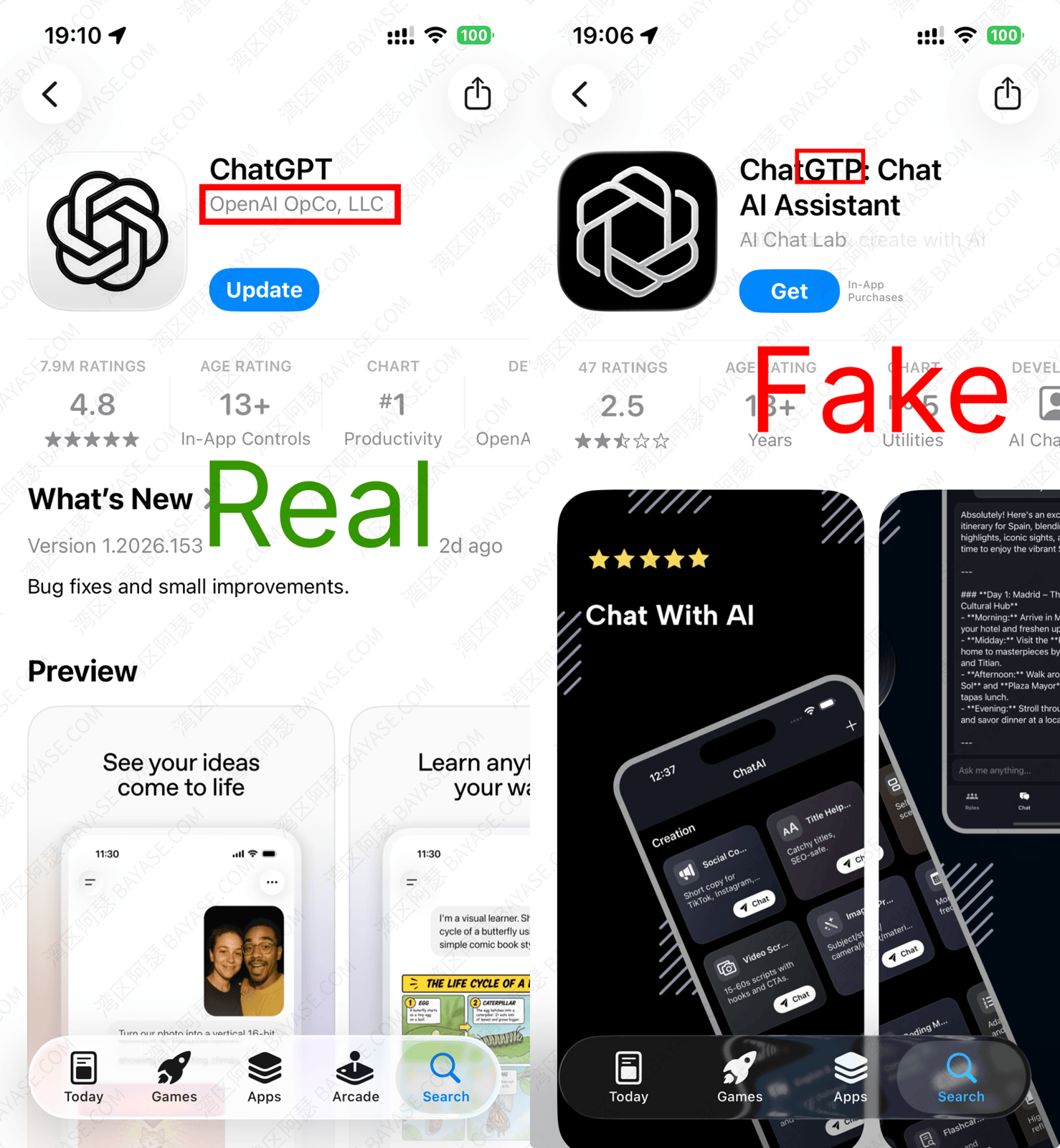
Can't download the official app in your region? See: overseas Apple ID
Even with a Visa / Mastercard dual-currency card from your local bank, direct Stripe subscription on the web often fails (stricter since 2025). Turning on “overseas payment” at your bank usually doesn't fix it. Decline reasons and alternatives are below.
Whatever card or channel you use, official entry points are these two. Standard flow first so you can follow along.
This is the most common ChatGPT Plus subscribe in web path — and where your card has been declined shows up most:
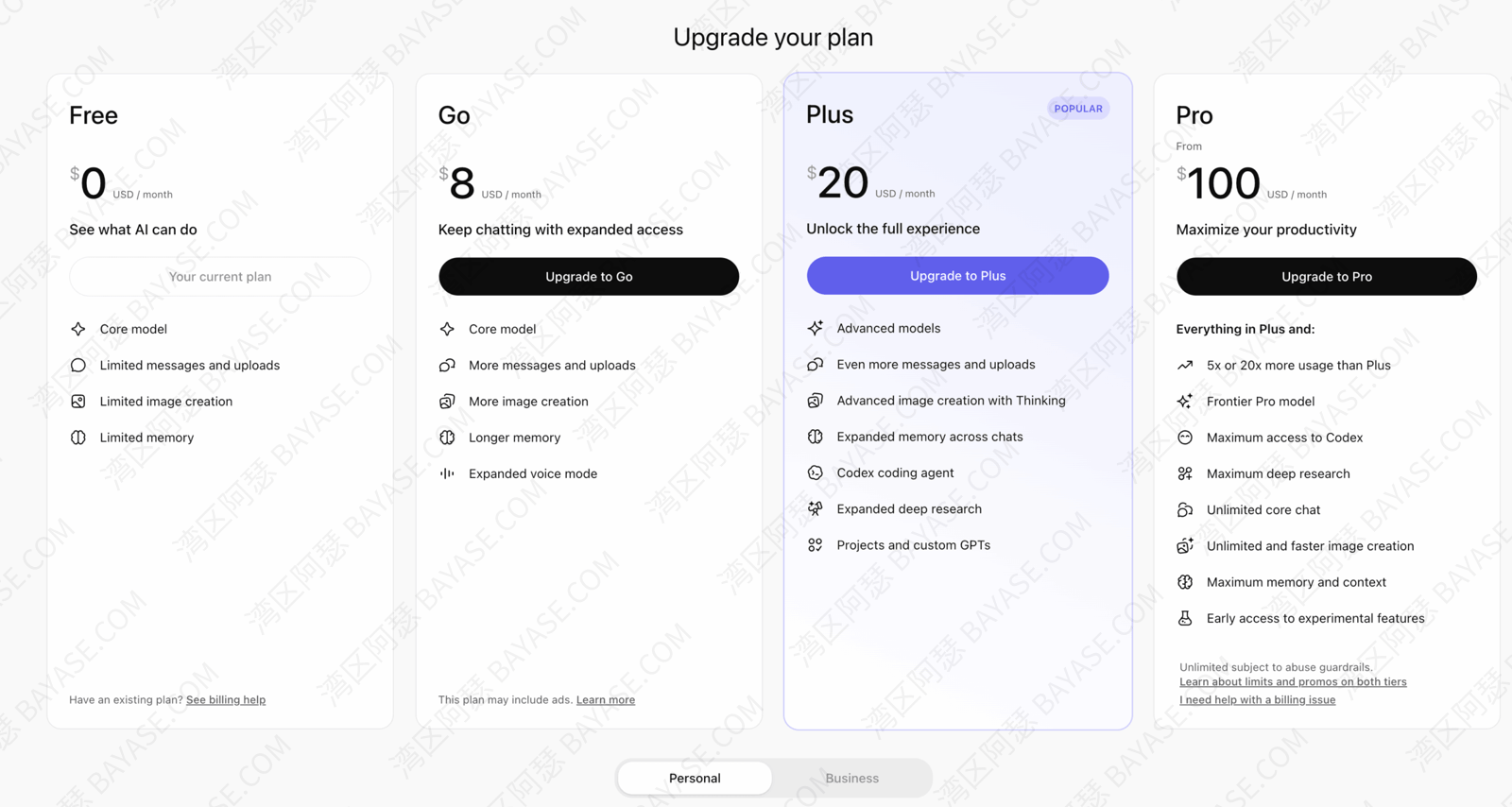
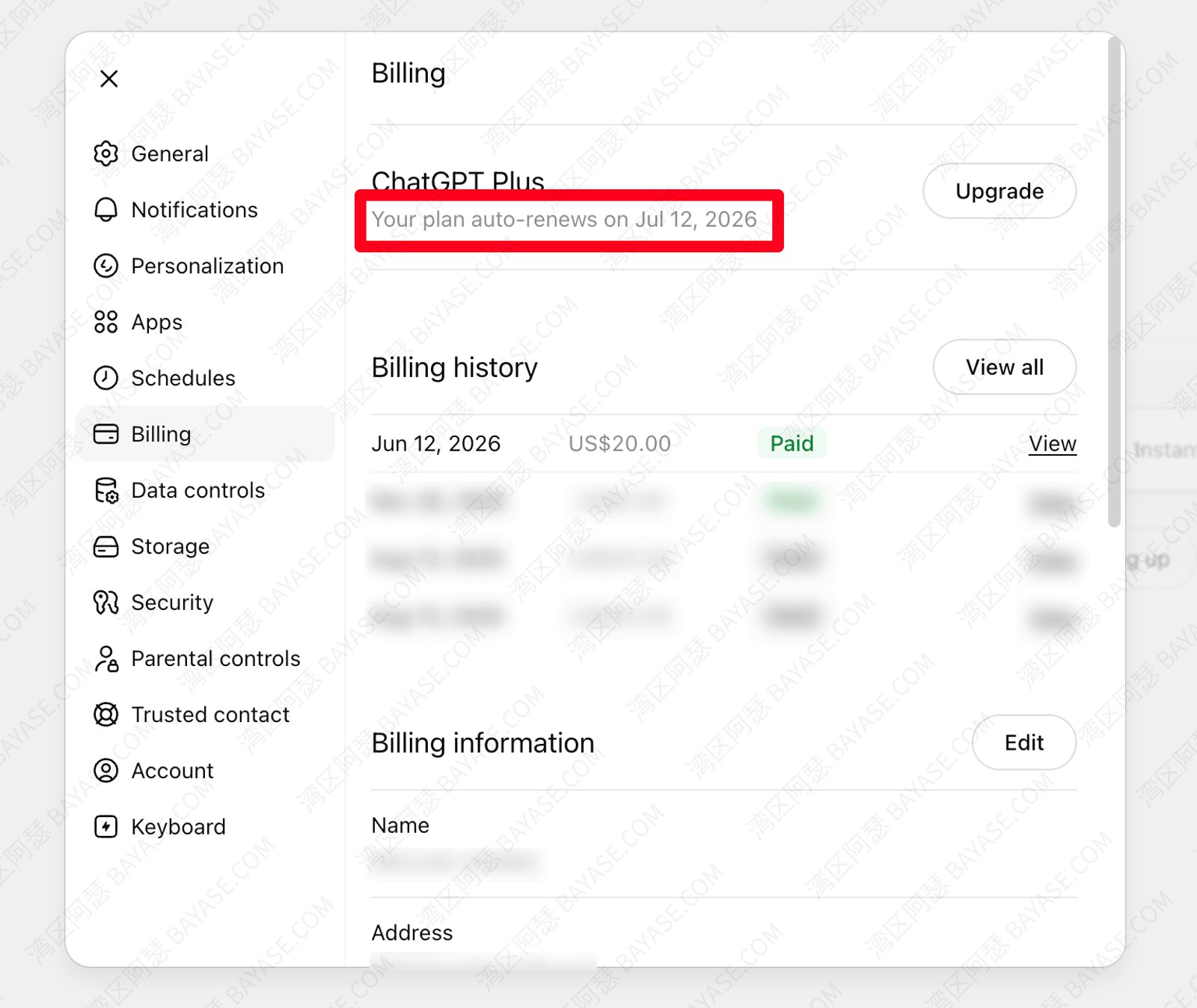
Below is a successful Plus renewal I ran on June 12, 2026 with Roogoo — Codex alone makes it worth it for me.
Plus works across web, iOS, and Android — same account, all clients.
When people say ChatGPT Pro signup or GPT-4 subscription, they usually mean Plus. The real $200 Pro tier is also on the Upgrade list — don't pick the wrong plan.
Errors may read Your card has been declined, or in Chinese UI something like your bank card was rejected for ChatGPT Plus. Knowing why beats blindly swapping cards.
1. Issuing region restrictions
OpenAI bills through Stripe. Cards issued in mainland China, Hong Kong, or Macau are often blocked at the gateway on web checkout — different from whether your card “supports overseas spend.”
2. IP vs billing address mismatch
US VPN exit but a billing address in a different country; or an obvious datacenter IP. Stripe risk score goes up. Many “card is fine but always declined” cases land here.
3. Insufficient balance or pre-auth
Virtual card users: subscription is $20/month, but OpenAI may pre-authorize a few dollars first. $20 on the card isn't always enough — keep ≥ $25 before paying.
4. Card BIN abuse
If the first 6 digits (BIN) of a virtual card were used heavily for shady subs, merchants may block the whole range. A different card segment or platform sometimes works better than retrying the same card.
5. Account flagged high-risk
Many card swaps in a short time, logins from multiple countries, extra SMS verification — web binding often keeps failing. Switch to in-app purchase, third-party top-up, or a new email signup (you lose old chats — weigh that yourself).
| Check | Pass criteria |
|---|---|
| Card type | Not a card region known to fail on Stripe web checkout (incl. mainland/HK/Macao, some EU/UK bins)? |
| Balance | Virtual card ≥ $25? |
| IP | Same region as billing address? Avoid HK exit for US billing |
| Account | No abnormal SMS verification on login? |
| Attempts | Fewer than 3 failures today? |
⚠️ After 3+ failures in a row, pause 24 hours and switch to virtual card, third-party top-up, or in-app purchase — don't spam the same checkout page. When ChatGPT Plus payment is not approved, rushing usually makes it worse.
Once you understand declines, here's what actually works when your bank card keeps getting declined. Sorted by how much I recommend them:
| Plan | Difficulty | Typical cost | Stability | Best for | My rating |
|---|---|---|---|---|---|
| A. Virtual card (Roogoo, etc.) | Medium | $0 card fee + top-up + ~$20/mo | Medium–high | Long-term subs, multiple platforms | ⭐⭐⭐⭐⭐ Top pick |
| D. Third-party top-up | Low | Slightly above official | Medium–high | Zero setup | ⭐⭐⭐⭐ Lazy backup |
| B. iOS gift card in-app | Medium | ~$20–25/mo | High | iPhone power users | ⭐⭐⭐⭐ |
| C. Android Google Play | Medium–high | ~$20–25/mo | Medium | Android + US account | ⭐⭐⭐ |
| ✗ Shared account | Low | Low | Very low | — | Not recommended |
I'd go this route: open a card once, then pay for ChatGPT, Claude, and Midjourney yourself — no middleman every month.
General tips (often the card is fine; usage isn't):
Beginner platform: I currently recommend Roogoo — $0 card fee, Apple Pay / Google Pay support, and plenty of virtual card ChatGPT Plus success stories in the community.
Full open-card, top-up, and bind steps: Roogoo virtual card setup guide (2026) — this article doesn't repeat those screenshots.
We also have a DogPay GPT subscription guide on site, but mainland China passport holders currently can't open an account — readers with overseas ID can look into it; beginners should start with Roogoo.
After the card is ready, return to web subscription steps above and enter virtual card details on Stripe — stable network, matched address, enough balance.
Good for iPhone users — Apple's payment rail often bypasses web Stripe limits:
Brand-new US IDs sometimes hit in-app limits — wait 24 hours and retry often fixes it. After in-app success, log into web with the same account — Plus applies there too.
💡 Gift cards carry some risk too. Opening a virtual card and subscribing in the ChatGPT app via Apple Pay is often the steadier path.
Set up a US Google account, install ChatGPT from Play Store, subscribe in-app. Some locally issued dual-currency cards work with Google Pay; less consistent than iOS. Fail → Plan A or D.
⚠️ Most China-market Android phones make this hard unless you already run a non-China device — you may not even get Google Play services installed.
If you don't want to learn virtual cards or tune network settings, some people use a third-party ChatGPT Plus top-up service — you pay the provider, share account details per their flow, and they complete the subscription on your behalf.
Honestly: if you'll subscribe to other overseas services later, learning virtual cards pays off — top-up fits “get it working first” emergencies only.
⚠️ Avoid random sellers on unofficial marketplaces. Prices too low may mean stolen cards — subscription dies or account gets flagged.
Shared or “group buy” accounts look cheap but mean multiple people on one Plus login:
If you use AI for real work or private content, skip shared accounts. Saving a few dollars isn't worth one ban.
| Blocker | Usual cause | Quick fix |
|---|---|---|
| Can't open chat.openai.com | Network | Connect from supported region; try US/SG/JP exit |
| Phone verification at signup | Region policy | Switch to overseas email; overseas number if needed |
| Wrong app from local store | Store region | Overseas Apple ID for real ChatGPT |
| Web payment fails | Stripe + local bank card (region-dependent) | Virtual card, third-party top-up, or in-app |
| Renewal suddenly fails | IP changed / low balance | Use self-check table above |
| Plus vs API confusion | Two products | Plus = membership; API is separate pay-as-you-go |
Match your scenario:
ChatGPT Plus is one of the most common international SaaS subscriptions. Pick by patience: setup once with virtual card, or use third-party top-up if you want it done for you — both beat useless retries on Stripe.
Successful Plus renewal on June 12, 2026 via Roogoo:
No direct link. ChatGPT Plus is membership for chat.openai.com — higher model quota and features. OpenAI API is separate at platform.openai.com, pay-as-you-go billing, separate quota. Plus does not auto-grant API credits.
Yes. ChatGPT Plus is the official name; GPT Plus or premium in casual speech means the same ~$20/month personal subscription.
Most asking how to get ChatGPT membership or ChatGPT Pro signup mean Plus ($20/month). OpenAI also sells ChatGPT Pro (~$200/month) for near-constant heavy use. Normal readers want Plus — don't tap the wrong tier on Upgrade.
OpenAI occasionally runs promos or partner trials — check official channels; there's no permanent free membership. Ads promising free ChatGPT Plus for a month — verify it's official before trusting third parties.
No. Upgrade stays on the same OpenAI account; history and uploads usually remain. Plus changes subscription status, not your account identity.
Web Stripe often fails with locally issued Visa/Mastercard dual-currency cards — even when “overseas payment” is enabled. Don't retry the same card endlessly; try a virtual card or in-app purchase instead.
Legitimate virtual cards, compliant use, correct billing address — community feedback suggests lower risk than shared accounts. I can't promise zero risk: sketchy IP, constant card hopping, or policy violations can still trigger review. Still more controlled than shady top-up sellers.
Yes. Plus binds to your OpenAI account — web, iOS, Android with the same login. In-app vs web subscription, same access tier (per official docs).
Top-up: Third-party subscription top-up services exist, but verify reputation and security before handing over account access. A virtual card you control is usually safer long-term.
Cancel: web → ChatGPT Settings → My plan; iOS → Settings → Apple ID → Subscriptions. After cancel, Plus usually stays through the paid period, then reverts to free (official rules apply).
That's the end — thanks for reading!
Here are some communities created by Arthur. Feel free to join if you're interested:
The Telegram groups have fewer chat restrictions. Just add the bot and select the type of community you'd like to join:

You can also add Arthur as a Telegram contact:

Connect with Arthur and stay closer.
Disclaimer: The content of this article reflects personal opinions only. Any financial actions taken based on this information are at your own risk, and any resulting losses shall be borne solely by the operator.